Replace Bing Search with Google Search in Internet Explorer 10 Under Windows 8

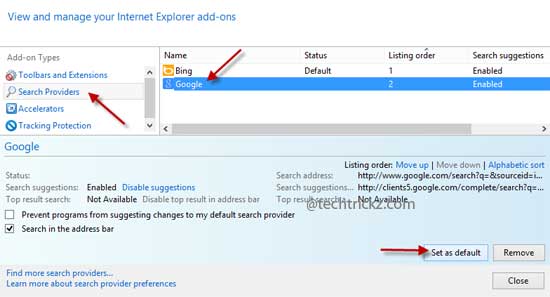
IE10-Manage-add-on

Bing is the default search engine for Internet Explorer 10 in Windows 8. Like Chrome or Firefox, Internet Explorer 10 does not have a straight option to change the default search engine Bing. If you would like to search using Google (or any other search engine) instead of Bing on IE10, here is how to [...]

Enable High Resolution Screenshots View in Play Store [How to]

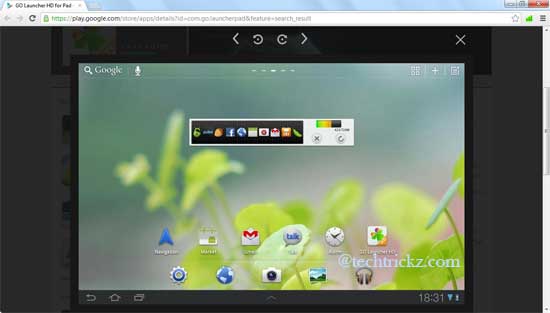
High-Resolution-Play-Store-Screenshot

Screenshots displayed on Google Play Store helps us to know how the app or game look like after installing it on our Android device. However, the images has low resolution (small size), which isn’t enough in some situations, for example, in the case of tablet screenshots. Here is how to view high-resolution screenshots on the [...]

Firefox: Open Any Link in Private Browsing Mode by Right Clicking

Open-in-private-browsing

As you all know, all major web browser have an option to switch to private browsing mode. In this mode, all browsing activities will be deleted once you close the browser. Of course, you can quickly switch between private and normal browsing mode by using shortcut keys (for FF & IE: Ctrl + Shift + [...]

Password Protect Bookmarks And Links in Firefox

Firefox-bookmark

As we know, every browser comes with a functionality to Bookmark (Favorite in case of Internet Explorer) the current webpage we are visiting. It helps us quickly access our favorite sites whenever we need it. However, one problem here is, no browsers currently have an option to password protect the bookmarks. If your bookmarks contain [...]

Google Chrome: Mute Sound On WebPages

Mutetab

Usually we use browser tab for opening multiple links in the background and then go through them one by one. But, what about some of the tabs start playing music or video automatically in the background? It will certainly disturb or distract from what we are doing currently. If you are thinking a way to [...]

Handy Screen Capture Extension For Chrome by Google

Screen-Capture-option

Looking for a quickest and simplest way to capture content of a webpage (region of a page, visible content or the whole page) that you’re currently viewing? Then, here is a little, handy Screen Capture add-on (by Google) for Chrome to helps you do all that.