Samsung’s Galaxy S26 Ultra revolutionizes mobile privacy with its groundbreaking Privacy Display feature, a hardware innovation that shields your screen from shoulder surfers and nosy onlookers. While other Android devices can’t replicate this exact technology, you can achieve similar protection using dedicated privacy apps. Here’s everything you need to know.
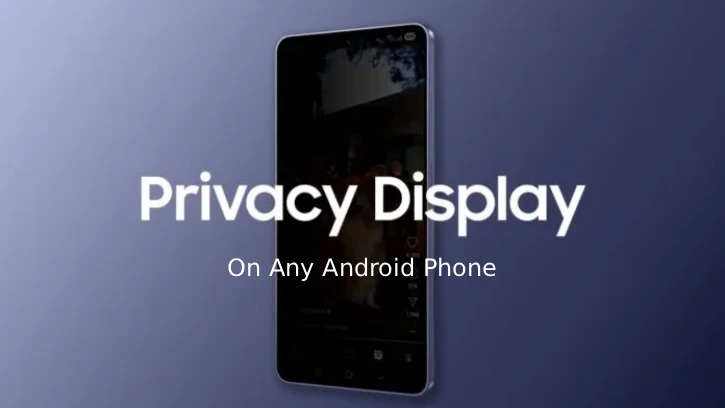
What Is Galaxy S26’s Privacy Display?
The Galaxy S26 Ultra‘s Privacy Display uses Flex Magic Pixel technology, a sophisticated hardware implementation that physically controls light emission direction. When activated, the display switches to “Narrow-Angle” mode, maintaining full brightness and clarity for direct viewing while blocking or redirecting light to viewers positioned at angles greater than 30°.
From a side angle, the screen appears completely black or heavily blurred – making it impossible for someone to see your sensitive content. This hardware-based approach means you get complete privacy without sacrificing your own viewing experience.
The Privacy Display can be used to shields, one-time verification codes and passwords, private messages and emails, banking and financial information, personal notifications and conversations and any sensitive data displayed on your screen.
Why Other Android Phones Can’t Match This Feature
The Galaxy S26’s Privacy Display is purely a hardware innovation, not a software feature. It relies on specialized pixel architecture that standard Android devices simply don’t possess. Other manufacturers would need to redesign their entire display panel to achieve the same effect—a costly undertaking that few have implemented.
However, this doesn’t mean you’re out of luck. Software-based alternatives can provide meaningful privacy protection, even if they work differently.
How to Get Privacy Display Feature on Any Android Phone
While no app can perfectly replicate the Galaxy S26’s hardware magic, several applications offer practical privacy solutions. The most effective option is “Privacy Display: Screen Filter,” which uses a tilt-based overlay system to block your screen when someone views it from the side.
Follow these steps to add privacy protection to your Android device:
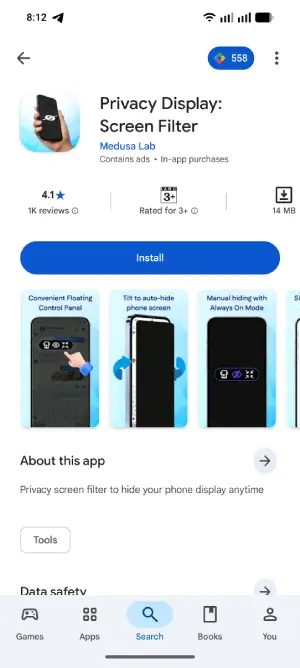
Step 1: Download the Privacy Display: Screen Filter app from Play Store and install it on your device.
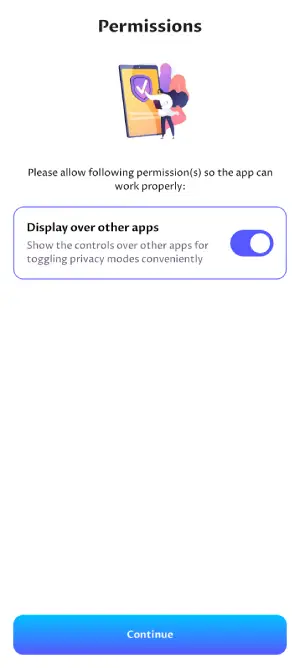
Step 2: After installation, open the app, and grant required permissions for:
- Display over other apps
- Camera access (for tilt detection)
- Accessibility permissions (if prompted)
- Device admin access (optional, for enhanced control)
Step 3: Now, customize your Privacy Settings. In the Personalize section, adjust:
- Screen Darkness: Set to 100% for maximum privacy
- Tilt Sensitivity: Set to 20 degrees for balanced detection
- Activation Mode: Choose between manual toggle or automatic tilt detection
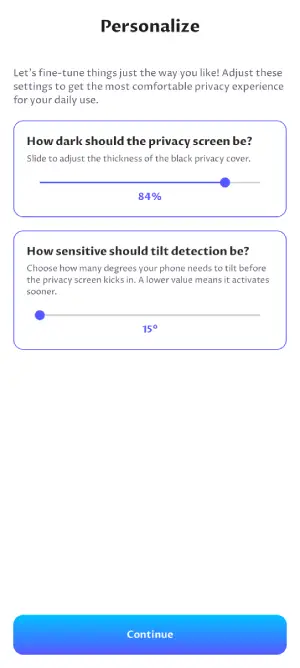
Step 4: Return to your home screen and toggle on the privacy feature. You’ll see an overlay with three options:
- Tilt-Based Privacy: Automatically darkens the screen when someone views from the side
- Instant Screen Lock: Immediately blackens the display with a tap
- Hide Overlay: Conceals the control interface while keeping privacy active
When Privacy Display Apps Work Best?
- Public transportation: Protect banking apps or private messages on buses and trains
- Crowded offices: Prevent coworkers from seeing sensitive emails or documents
- Airports and cafes: Shield personal information in high-traffic areas
- Emergency situations: Instantly hide your screen if someone tries to peek
Final Verdict: Is a Software App Enough?
The honest answer is no—software apps cannot truly replace the Galaxy S26 Ultra’s hardware Privacy Display. Here’s why:
Samsung’s hardware solution is superior because it maintains perfect brightness and color accuracy while remaining invisible to shoulder surfers. Apps like Privacy Display: Screen Filter sacrifice your own visibility to achieve privacy, creating a trade-off that Samsung’s technology avoids entirely.
Conclusion
While no app perfectly mimics the Samsung Galaxy S26’s magic, Privacy Display: Screen Filter offers excellent value as a free alternative. It effectively stops casual snooping and provides that crucial layer of security in public spaces. For most users, this is more than adequate—but Samsung’s hardware implementation remains the gold standard for mobile privacy.
If privacy is your top priority, the Galaxy S26 Ultra’s built-in technology is worth considering. If you need a quick fix for your current phone, download Privacy Display and activate it today.