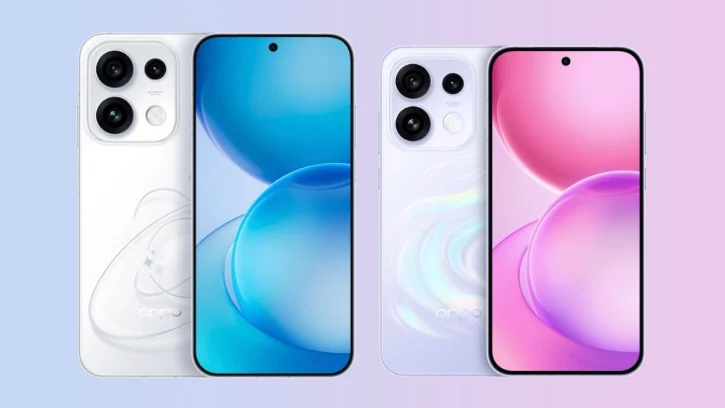
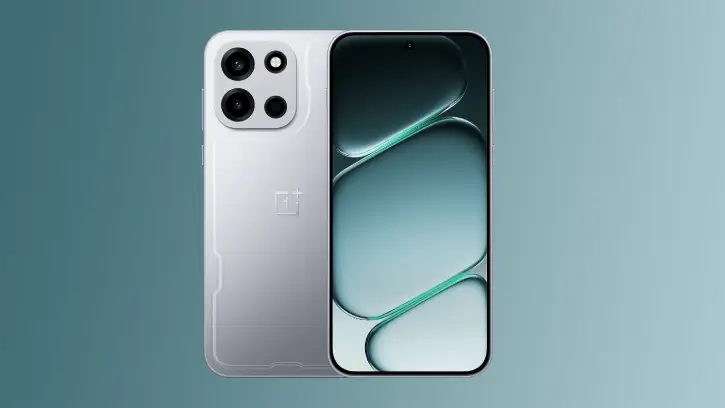
Oppo started rolling out ColorOS 16.1 earlier this month, and it’s packed with features worth checking out. The update brings some genuinely useful additions: Live Space (Oppo’s answer to Dynamic Island), Contour Glow effects, a revamped camera app, new AI tools, audio sharing, and smoother animations overall.
One of the nicest touches in this update is the new wallpaper. ColorOS 16.1 includes a fresh option with a dark, textured design – a nice change from the brighter, more colorful wallpapers that came with ColorOS 16. Interested users can download the wallpaper in high-quality from the link below.
Main Highlights of ColorOS 16.1 Update
Right now, Android 16 based ColorOS 16.1update is available for the Find X9 series, with the Reno 15 and Find X8 series expected to get it soon. Find X8 Series, Find X7 Series, Reno 15 Series, and other eligible devices will get the update in second and third phase.
What’s New in This Update
System Intelligence and Performance
Live Space now tracks lock-screen activity with dynamic notification systems, keeping your most important information instantly visible.
Trinity Engine optimizations enhance gaming and multitasking performance, delivering smoother experiences across demanding apps and workflows.
AI-Powered Assistance
AI Mind Pilot brings multi-model AI capabilities with personal context awareness and integrated Gemini support, learning your preferences to provide smarter suggestions.
AI Bill Manager features a rebuilt interface with sliders and carousels displayed simultaneously for easier expense tracking.
AI Menu Translation uses photo recognition to translate restaurant menus and automatically converts prices to your local currency.
Camera and Multitasking
The redesigned Camera UI displays sliders and carousels side by side, giving you more control options at a glance.
Five-Window Multitasking lets you run five apps simultaneously on a single screen, transforming productivity on larger devices.
Performance and Design
One-Click Flash Memory instantly boosts available performance headroom with a single tap, clearing resources for demanding tasks.
Contour Glow adds a refined visual touch with subtle shimmer animations flowing across UI elements, creating a more polished and cohesive interface.
Download ColorOS 16.1 Wallpaper
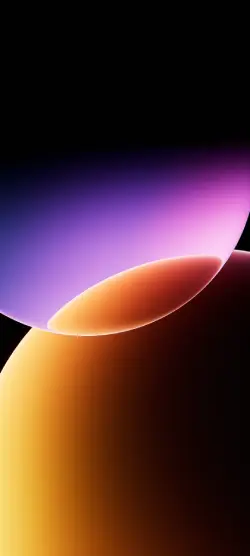
Oppo ColorOS 16.1 dark, textured design wallpaper is available at excellent quality (2160 × 4800 pixels). If you are interested, you can download the wallpaper from the link below.
Download Wallpaper (Gdrive)
Once you’ve downloaded it, head to your downloads folder, open the wallpaper file, and tap the three-dot menu to set it as your home screen or lock screen background.
For more similar wallpapers, visit our Wallpaper Download section.