Xiaomi has started rolling out HyperOS 3.1 to eligible devices with new features, enhanced AI tools, performance improvements, and privacy enhancements. HyperOS 3.1 also brings a few beautiful new wallpapers to spruce up the home screen and lock screen, which you can download from the link below.
Based on the Android 16, HyperOS 3.1 bring several notable updates, including camera optimization, an enhanced Super Island feature, improved battery optimization, enhanced AI tools in the Gallery and Weather apps, a new Clarity mode, better syncing with iPhones, reduced system reboot times during updates, a new dedicated Password app, and advanced privacy controls.
HyperOS 3.1 Wallpapers: Nature-Inspired Designs for Your Phone and Tablet
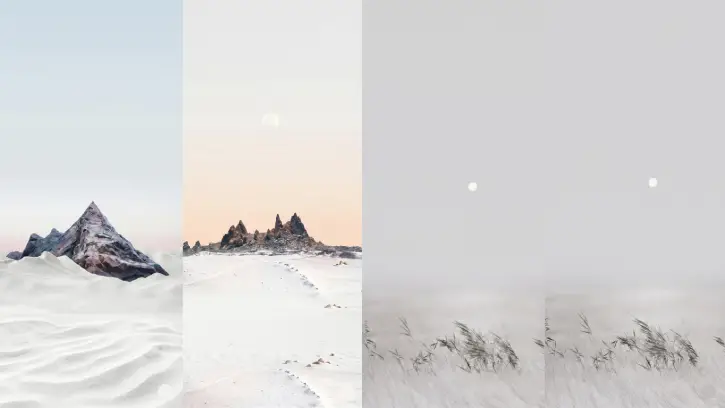
HyperOS 3.1 introduces eight fresh wallpapers designed to enhance the visual appeal of your Xiaomi device’s home screen and lock screen. These wallpapers are available for download and work beautifully on both smartphones and tablets, offering a cohesive aesthetic refresh for your device.
The new collection features a diverse range of nature-inspired imagery, including scenic mountain landscapes, verdant grasslands, expansive deserts, solitary trees, and additional natural subjects. Each wallpaper has been carefully selected for its visual impact and versatility across different device sizes.
Download HyperOS 3.1 Wallpapers
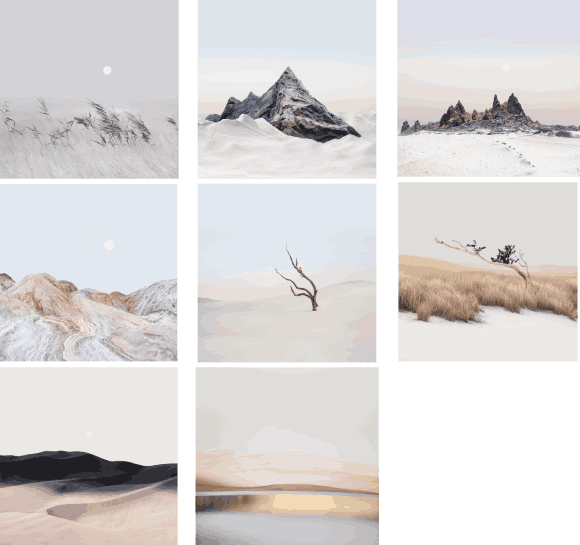
HyperOS 3.1 offers a curated set of eight nature-inspired wallpapers, all optimized at 2000 x 2000 pixels resolution to ensure exceptional clarity and quality on your Xiaomi device. Interested in refreshing your device’s look? Simply use the download links below to access the complete wallpaper collection.
Download Wallpapers (Gdrive)
After downloading the wallpaper zip file, head to your downloads folder, unzip it using ang File manager app, pick your favorite wallpaper, and open it. From there, tap the three-dots menu icon and select the option to set it as your home screen or lock screen wallpaper. That’s all there is to it—your device is ready to display your new look.
For more wallpapers from other devices, check out our Wallpaper Download section.