Skip to content
moto-e-2nd-gen

Install CyanogenMod 12.1 Custom ROM on 2nd Gen Moto E 3G Variant

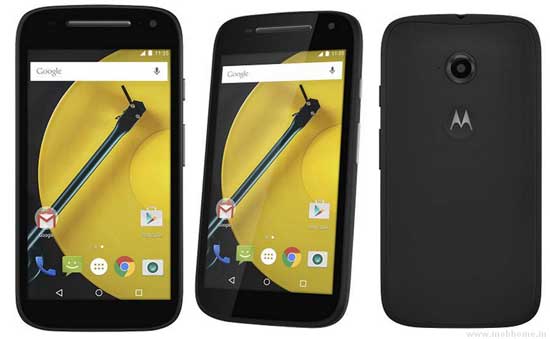
Stable version of CyanogenMod 12.1 custom ROM (unofficial) is now available for 2nd Gen Moto E 3G variant. If you are wishing to get the custom ROM that everyone is talking about on your Moto E 2015, checkout the installation procedure. Once installed, you can enjoy various Cyanogen features, plus Android 5.1.1 Lollipop on your 2nd Gen Moto E.

Read more
moto-e-2nd-gen

Fix Google Play Service Connection Error on Moto E 2015 Running CyanogenMod 12.1 ROM

CyanogenMod is perhaps the best custom ROM and it is available for a variety of phones including Moto E. Recently, an unofficial build of CyanogenMod 12.1 ROM was made available for Moto E 2015 3G variant. It is a good ROM and everything is working fine, but some users come across Google Play Service connection error on their Moto E after installing the ROM, which means they cannot access essential services like Play store and Google Now on their device.

Read more
moto-e-2nd-gen

Install TWRP Recovery and Root Your Moto E 2015

In this tutorial, we show you how to install TWRP custom recovery and get root access on your 2nd generation Moto E 2015 edition. Custom recovery and root access on your Moto E 2015 are essential for installing custom ROMs like CyanogenMod, customizing with Xposed Framework or installing certain apps. However, you will lose manufacturer’s warranty.

Read more
moto-e-2nd-gen

Reinstall Stock Firmware on 2nd Generation Moto E (2015)

In this tutorial, we show you how to reinstall stock firmware on 2nd Generation Moto E (2015). If you have bricked your Moto E 2015 or if you want to return to stock firmware after installing a custom ROM, or whatever reasons your device needs stock firmware, read on to know how to restore your Moto E 2015 to stock Android 5.0.2 Lollipop firmware.

Read more
Back To Top