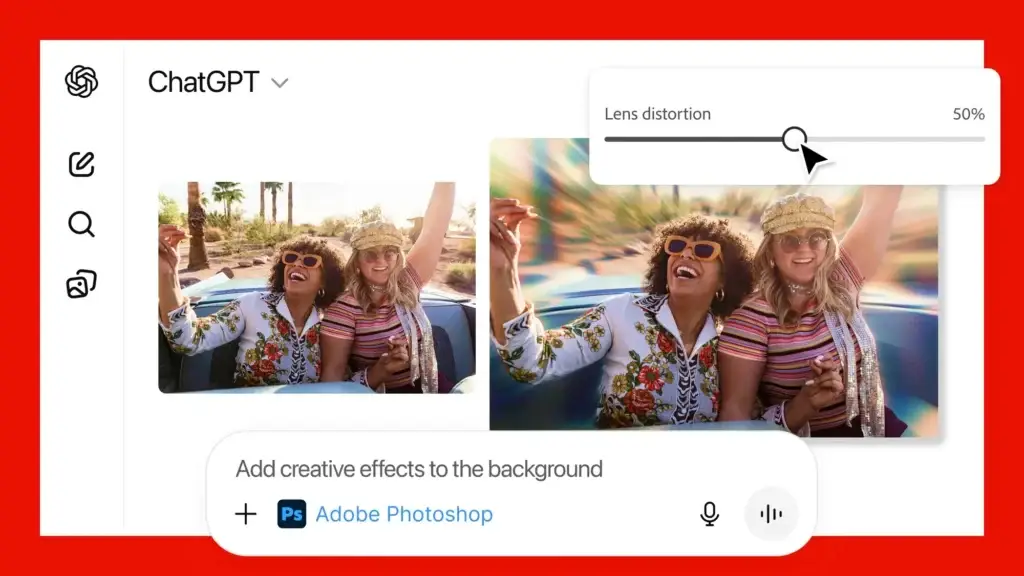
Google’s Gemini Omni isn’t your typical AI video tool. Instead of forcing you to start from scratch every time you want to change something, it works like having a conversation with your video editor. You describe what you want, the AI builds it, and then you can ask it to tweak the background, change colors, swap outfits—whatever—and it remembers what worked in the first version.
The real magic is that Gemini Omni understands physics. When it animates a running shoe splashing through puddles or a satellite orbiting Earth, the movements look natural because the AI knows how gravity actually works. It can generate videos up to ten seconds long, complete with synced audio, dialogue, and sound effects. You can even use a custom digital avatar to deliver your message.
Three Real-World Ways You’ll Actually Use This
1. Turn Product Photos Into Jaw-Dropping Ads
Remember when creating social media ads meant renting cameras, hiring photographers, and booking locations? Those days are becoming optional. Upload a flat product photo and Gemini Omni transforms it into cinematic footage.
Imagine you have a static image of a running shoe. A few sentences later, that shoe is sprinting down a rain-soaked city street at night, with puddles splashing realistically and neon signs reflecting off the wet ground. The camera follows the runner’s feet in a dynamic tracking shot. Within minutes, you’ve got a social media clip that would’ve cost hundreds (or thousands) to produce traditionally.
2. Edit Videos With Plain English Instead of Timelines
Forget hunting through timelines and wrestling with green screen footage. With Gemini Omni, editing becomes as simple as describing what you want changed.
Let’s say you filmed yourself walking through a park in daylight. You upload it and type: “Keep my walking motion and facial expression the same, but turn those trees into a glowing cyberpunk city with blue and purple neon lighting.” Gemini Omni doesn’t just swap the background—it adjusts the lighting on your face and clothes to match the new neon environment. Your movement stays perfectly intact while the entire scene transforms around you.
3. Make Complex Ideas Instantly Visual
Teachers, explainer creators, and educators know the struggle: some concepts are impossible to convey with text alone. Gemini Omni solves this by turning text descriptions into scientifically accurate animations.
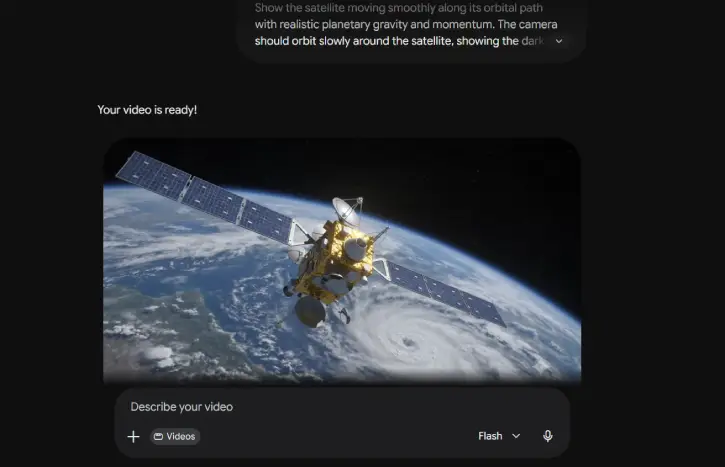
Ask it to animate a weather satellite orbiting Earth with realistic gravity and momentum. The camera orbits the satellite, showing the void of space on one side and swirling clouds on the other. An instructor who would’ve spent hours (or hired an animator) now has a valuable teaching aid in seconds—and it’s accurate because the AI understands the physics involved.
Five Prompts That Actually Work
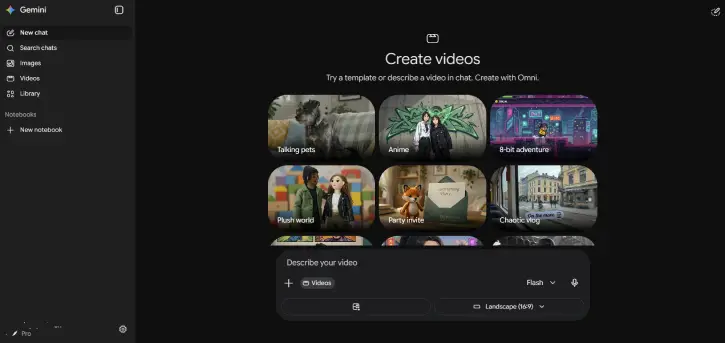
The difference between mediocre output and stunning output? Your prompt. Here are five templates you can customize and use right now.
Generate Video for Product Marketing
Animate the uploaded reference photo of the running shoe. Place the shoe on a runner sprinting down a rain-slicked city street at night. The camera should follow the runner's feet in a low-angle tracking shot. Ensure the puddles on the ground realistically splash and reflect the neon signs from the background buildings.
Use For Video Editing and Effects
Take the video I just uploaded of myself walking through a sunny park. Keep my walking motion, position, and facial expression exactly the same. Replace the entire background of trees and grass with a futuristic cyberpunk city. Change the lighting on my face and clothes to match the blue and purple neon glow of the new skyscrapers.
Create Educational Content
A 3D digital animation of a weather satellite orbiting Earth. Show the satellite moving smoothly along its orbital path with realistic planetary gravity and momentum. The camera should orbit slowly around the satellite, showing the dark void of space on one side and the swirling white clouds of Earth on the other.
Use for Product Reveals
An elegant, high-contrast product video starting in complete darkness. A soft spotlight slowly sweeps across a sleek, dark metallic watch. The light highlights the ticking gears beneath the glass. The camera moves in a smooth circle around the watch, ending on a crisp shot of the brand logo with a clean electronic beat.
Create Digital Avatar Presentations
Generate a video using my digital avatar. Have the avatar stand in a professional studio setting with soft, warm lighting. The avatar must look directly at the camera with natural hand gestures. The avatar will deliver a clear, welcoming greeting, and the mouth movements must sync perfectly to the spoken audio.
The Bottom Line
Gemini Omni represents a real shift in how videos get made. It’s not about luck or hoping a random prompt works—it’s about having an actual conversation with your AI editor. You build something, see how it looks, then refine it naturally. The combination of conversational editing, realistic physics, and native audio generation means you can create professional-quality videos without expensive equipment or years of editing experience.
Whether you’re a marketer tired of expensive production budgets, a teacher wanting to visualize complex concepts, or a creator who just wants to edit faster—Gemini Omni is worth learning. And the best part? Nailing the output comes down to clear, detailed prompts, not luck or technical skill.