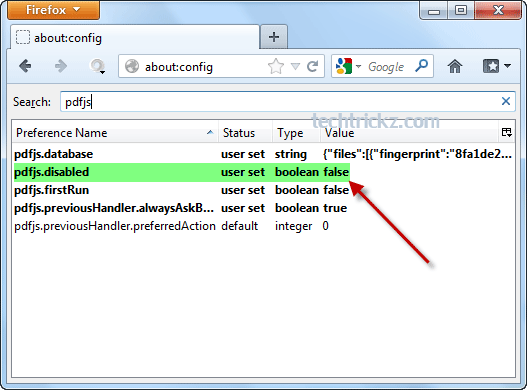
Make Firefox as Your Default PDF Viewer (How to)

Firefox-15-about-config-1

Google Chrome was the first browser to add PDF viewer right in the browser to view PDF files; you don’t need to install another PDF reader like Adobe Reader to view PDF files anymore. (Read here to know how to make Chrome as your PDF reader). Now, Firefox has following the same lane by adding [...]

How to Open the Last View Page in Adobe Reader

Adobe-Reader-preferances

Since a great number of e-books are in the PDF format, and many people depend on the free Adobe Reader for reading them, bookmark feature in Adobe Reader has some importance. Because, usually an e-book contains several pages, if it is hundred or more pages long, we cannot read it whole at once. But the [...]

Web Page to PDF Online Converter

html-to-pdf

Though there are several means to convert a web page into PDF file, HTML to PDF online converter may be the simplest tool to convert web pages into PDF file. You can use this free tool to archive web pages for future references by converting them to PDF file.

Make Google Chrome as Your Default PDF Viewer (Quick Tip)

chrome-as-pdf-eader

Google Chrome has an inbuilt PDF viewer that allows you to view PDF files right in the browser, but only when you click on a PDF link on the Internet, not possible with PDF files saved on your PC. But, you can do that easily and can make Google Chrome as your default PDF Viewer- [...]