How to Enable Bookmarks Menu Entry in Chrome’s Context Menu

Bookmarks-entry-in-context-menu

Many of us use bookmarking functionality of browser as a way to access our favorite webpages and web services fast and easily. In Chrome, bookmarked websites can be accessed from bookmarks toolbar (Ctrl + Shift + B), but by enabling an entry for bookmarks in Chrome’s context menu (right-click menu) accessing favorite websites indeed easier [...]

Click to Play Option Lets You Make Plugins Optional in Websites and Speed up the Browsing (How to)

Click-to-Play-Opt-Out

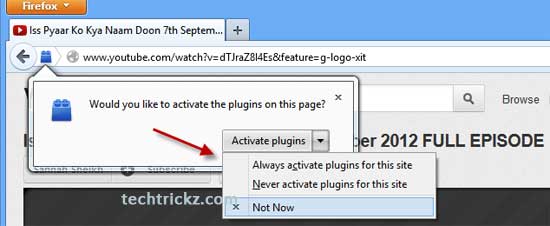
You can speed up your browsing in Chrome and Opera by making plugins in web pages optional. Called Click to Play, this feature is a great way to stop flash content playing automatically. Firefox has also this feature, but currently (Firefox 15) it has no direct option to enable it. However, advanced users can enable [...]

How To Change Number Of Tiles On Firefox’s New Tab Page

Firefox-New-Tab-Tools

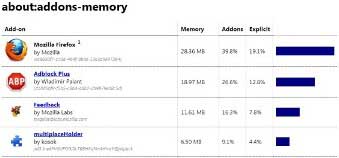
New Tab page is one of the several new features of Firefox 13. By default, New Tab page displays 9 thumbnails of your most recently and frequently visited web pages when you open a new tab. However, New Tab page misses some customization options. For example, there is no option for changing the number of [...]

Chat for Google Official Chrome Extension Lets You Chat Right From Your Desktop

chat-for-chrome-option

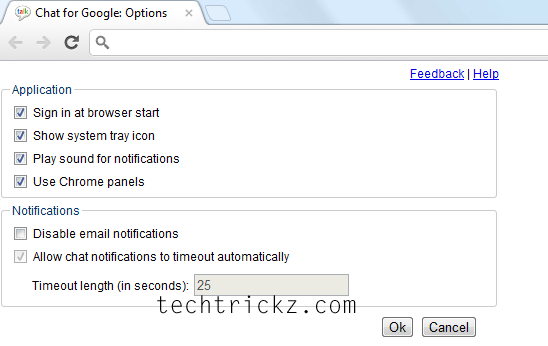
Chat for Google is an official Google Chrome extension that enables you to chat and Google+ hangouts right from your desktop. No program (like Google Talk) to download or separate browser tab (or window) is required anymore for Google Chat, just install the Chat for Google extension and start IMs from your desktop. It’ll keeps [...]

How to Force Facebook and Twitter to Use HTTPS Instead of HTTP with Use HTTPS Chrome Extension

https-encryption

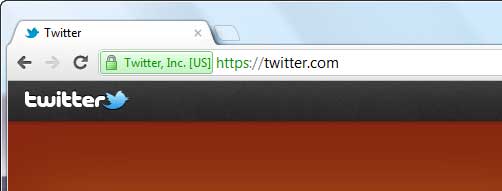
You might have noticed that some web services start its URL with “https” instead of common “http”. The “s” denotes your computer is communicating with the site through a secure connection, so nobody can steal your confidential information. However, most popular sites such as Facebook, Twitter, etc currently have limited support for encryption over HTTPS, [...]

Automatically Post Your Google Calendar Events to Evernote (Chrome Extension)

Google-Calendar-event

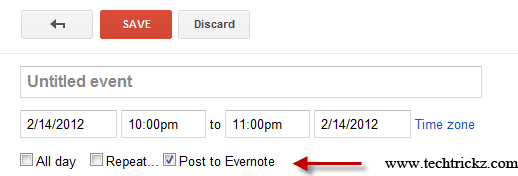
Looking for a way to synchronize your Google Calendar events with your Evernote account? The Chrome extension called KanMeet helps you do it automatically.It  is designed to post your Google Calendar events to your Evernote notebook automatically.