Skip to content
Metro-IE10

Enable Flash on all Sites in Metro Internet Explorer 10 on Windows 8 and Windows RT

You might have already learned that the Metro version of Internet Explorer 10 on Windows 8 as well as on Windows RT won’t play flash content properly on all websites. This is because Metro IE10 supports flash only on sites that Microsoft has whitelisted, other sites won’t play flash contents. Since lot of sites aren’t whitelisted yet, you can’t play flash content properly each and every site. However, you can add any site in the whitelist. Here is how it is.

Read more
Metro-UI-for-Windows-7

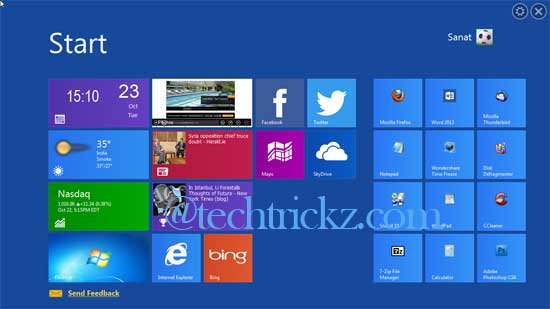
Get the Windows 8 Start Screen on Windows 7, Vista and XP with WinMetro

If you like the look of Windows 8, but you’re unwilling to upgrade now, there are several free tools that apply the Modern interface (formerly called Metro UI) to Windows 7, Vista or Windows XP. For example, WinMetro from iOBit, a free tool that brings the same Windows 8’s colorful Start Screen to older versions of Windows. It is easy to install and, just as importantly, equally easy to remove.

Read more

Windows Phone 8 Launcher and Lock Screen for Android

Personally, I love Microsoft’s new Modern UI (Metro UI) and Start Screen. It is eye-catching and gives a whole new experience to users. You can experience this new UI on Windows 8 as well as on upcoming Windows phone 8. Would you like to implement this modern UI to your Android Phone? Then, there is a nice app called WP8 Launcher, which simulates Windows Phone 8 start screen functionality in a very realistic manner.

Read more
Immersive-Explorer

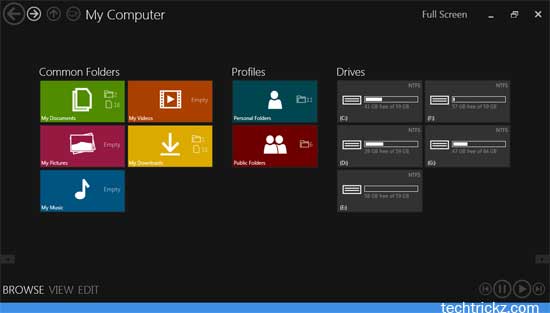
Immersive Explorer Brings Metro Interface to Windows Explore in Windows 7 and Windows 8

Recently Microsoft has rolled out its Metro interface across all its products (Windows Phone, Windows 8, Office 2013, etc) and websites. This interface change gives users a new experience by focusing more on content rather than hiding them behind icons. Do you like Metro interface? Would you like to bring it to your Windows Explorer? Here is how to bring Metro interface to Windows explorer in Windows 7 (also in Windows 8) with a simple application called Immersive Explorer.

Read more
Google Chrome

Google Releases Metro Version Of Chrome For Windows 8

Recently Google has announced the release of Metro version of Chrome browser that will run in both the Metro and desktop environments on Windows 8. If you have installed the latest Chrome Dev release on Windows 8, you will notice that the browser is now opening in Metro mode (if you set it as your default browser and run from Metro).

Read more
Back To Top