

Hide Desktop Icon is a tiny tool for Windows 7 that lets you hide your desktop icon just with a click. It is useful for those who like to have a clean desktop with a click.
The application is portable (no installation required) and is very simple to use. After downloading the tool, extract it and drag and drop HideDesktop Icon to your Windows 7 taskbar. 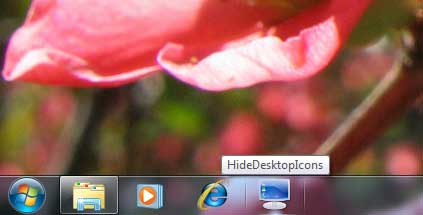
Just click on it to hide and unhide desktop icons. You can also launch the application y creating a keyboard shortcut. To do that, right click – properties and then shortcut and enter a key combination in the “shortcut” field.
You may need to put this in the start menu or desktop to work. Download (81Kb) HideDesktopIcon



Comments (1)
This is nice way to keep clean. Thanks for sharing
Comments are closed.