Skip to content
YouTube

How to Enable Dark Theme on Android YouTube App (No Root)

Finally, dark theme for YouTube Android app is available for all users. Until recently, this feature was available to iPhone users and YouTube website for desktop only or required a rooted Android phone to enable it. The dark theme has been available with YouTube app version 13.35.51. If you have not updated the app, just go to the Play store and update the app to get the dark theme.

Read more
YouTube

Here’s How to Enable Incognito Mode in YouTube for Android

Google starts enabling Incognito Mode in YouTube for Android with latest update – a feature that users have already been familiar with their Google Chrome, Firefox and other browsers. This feature is now available to all Android users. Incognito Mode offers ‘private’ YouTube viewing on their Android phone. Here’s how to enable Incognito Mode in YouTube for Android.

Read more

Enable Hidden ExoPlayer in YouTube App for Android to Load Video Faster

Since the launch, Google has introduced many improvements to its YouTube apps for Android to make it load video faster and user friendly. One feature that Google recently introduced in YouTube app is ExoPlayer, which load video much faster, but this feature made unavailable for users due to some reasons. However, there is a workaround to enable this feature.

Read more
youtube-for-android-playback-quality

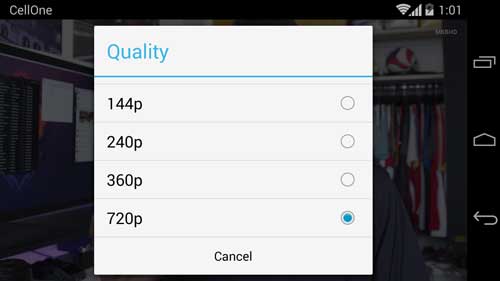
How to Change Video Playback Quality in YouTube for Android

Desktop version of YouTube has an option (manual and auto) for changing the video playback quality for watching the video without any choppy playback on slow internet connection. Now, Google has added this feature to YouTube for Android enabling you to change playback quality depending on your Internet connection speed.

Read more
Back To Top