Skip to content
Google Chrome

Enable Do Not Track Privacy Feature in Google Chrome

Finally, Google has also implemented the Do Not Track privacy feature to its browser Chrome. Like the other major browsers such as Internet Explorer, Firefox, Opera and Safari, the latest stable build of Chrome 23 has also lets you opt out of being tracked by websites. Do Not Track (DNT) is a technology and policy proposal that enable users to tell websites that they do not want their internet activities being tracked by advertising system.
Read more
IE10-Manage-add-on

Replace Bing Search with Google Search in Internet Explorer 10 Under Windows 8

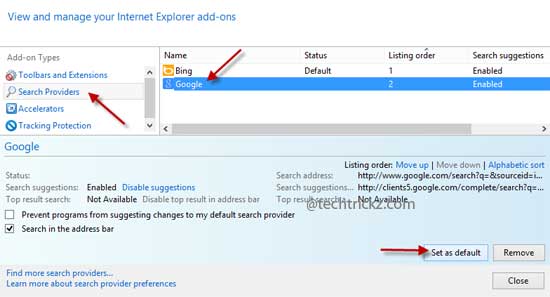
Bing is the default search engine for Internet Explorer 10 in Windows 8. Like Chrome or Firefox, Internet Explorer 10 does not have a straight option to change the default search engine Bing. If you would like to search using Google (or any other search engine) instead of Bing on IE10, here is how to replace Bing search with Google or other search. It’ll change the default search engine of both Metro and desktop versions of Internet Explorer 10.

Read more
Play-Store-App

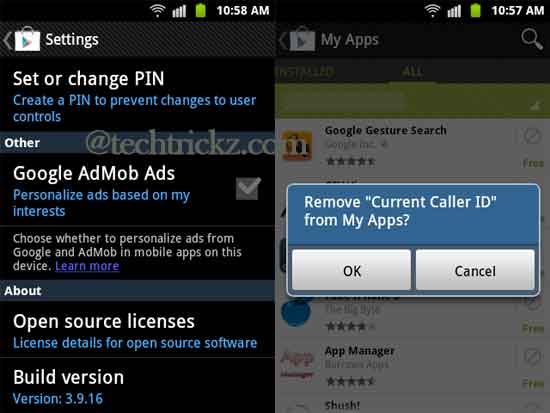
New Play Store App Brings Ability to Remove Apps List from My Apps Section

Google has just updated the Play Store app to version v3.9.16 by including an option to remove apps list from “My apps” section along with lot of other new changes. Installing and uninstalling numerous apps on my Android phone and tablet is my usual habit. Every apps I have tried earlier can be seen under “My apps” section of my Play Store and now it is cluttered with huge list of apps, but until now there wasn’t an option to remove apps from the list.

Read more
Google-Drive

Google Drive App for Android and iOS Updated with Features Like In App Editing, View Presentation, etc

Google just updated its Google Drive app on Android and iOS with new features. Now you can edit Google documents with in the app, view presentation, add comments and organize your stuff while you are on the move. The updated Google Drive app for iOS (version 1.1.0) lets you create and edit documents on your iPhone or iPad (which is already available in Android app) and just like on your Mac or PC, you can view your friends edits instantly as they are made.

Read more
Google-Translate-for-Android

How to Use Camera Translation in Google Translate For Android

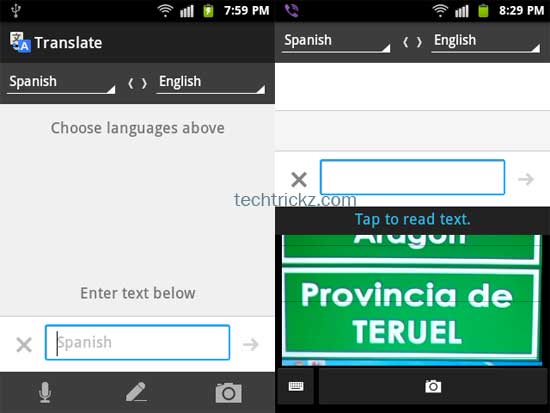
Google Translate for Android has just updated with new useful features like instant translation, camera translation (image translation), etc. Camera translation is one of the top features of this update and as it name implies it lets you translate foreign text by pointing your phone’s camera at it. One of the most obvious uses of camera translation is it can use as a travel guide. For example, you can translate a signboard that is in another language into your desired language by just taking its snapshot.

Read more
Back To Top