Wikipedia, the world’s largest free encyclopedia now lets you download wiki pages of your choice in EPUB format, which means you can make a collection of eBooks from your favorite Wiki articles and read them offline on your Kindle, as well as on smartphones and tablets. If you don’t know how to create ebook from Wiki pages, just read below article.
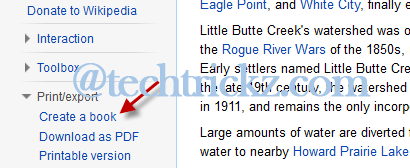
Open a Wiki page that you want to convert EPUB format and click ‘Create a book’ under Print/Export on the left-hand side of the page. Then click “Start Book Creator” button to bring the ‘book-creator’ tool.
Now, click “Add this page to your book” option. You can add as many page as you like in this way for your book.
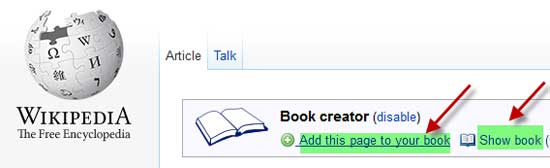
Once completing, click “Show book” option. It’ll bring book manager page. Here, enter a title as well as a sub-title for your book. You can also rearrange pages and chapters by dragging its titles.
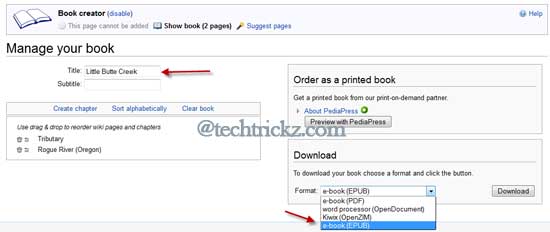
Finally, under “Download” option, select an ebook format, for example, EPUB, and click download button.
It’ll generate the ebook and gives you a download link to download the ebook to your PC.