Skip to content

Enable YouTube Offline On Android [How to Guide]

YouTube app for Android has a feature called “Preloading” that lets you watch videos offline on your Android phone. This is a useful feature for watching videos on your Android phone with slow network connections. Read below guide to know how to enable YouTube offline feature or “Preloading” feature in YouTube app for Android.

Read more

Make YouTube Less Clutter With YouTube Customizer

YouTube is always been one of the best places to find entertaining and educational videos, but it is cluttered with many things like comments, in-video annotations, featured videos, recommended videos, suggested videos, advertisements, and like that. Here is how to less clutter YouTube by eliminating things that you think “not necessary” with YouTube Customizer.

Read more
YouTube-Homepage

Fix White Space Annoyance of YouTube’s New Layout on Wide Screen Monitors

YouTube now has a new, refresh layout and according to Google, “in the new layout, the video display is cleaner and more prominent”. However, YouTube’s home page is now left-aligned and on wide-screen monitors, it results in lots of white space on the right of the screen. You can fix this white space annoyance by centering the YouTube page. Here is how it is.

Read more
Wondershare-player-for-Android

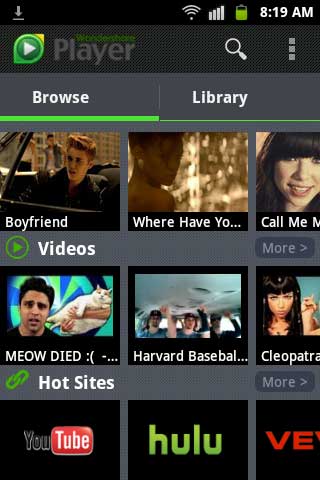
Wondershare Player- All-In-One Audio And Video Player For Android

Though there are several video and audio players available for Android smartphone, not all are able to play all video formats. But, Wondershare Player is one of the kind which can playback almost all video formats including AVI, MKV, WMV, MOV, RMVB, FLV and even DVD folders smoothly without any problem. It also lets you watch videos from various sources such as YouTube, Vevo, Hulu online and offline and can stream video/audio on Android from remote PC.

Read more

Watch YouTube Video On Facebook, Twitter And Google+ In A New Way (Chrome Extension)

If you enjoy watching YouTube videos on Facebook, Twitter or Google+, here is an innovative solution to open the video clip in a movable window rather than opening it in a new tab or embedded in the page, so that you can continue browsing the page without losing sight of the video. Just drag the video window to a convenient location to see the rest of the page while watching the video. Here is how it is.

Read more
Back To Top