Get SwifDoo PDF Pro Free License: AI-Powered, All-in-One PDF Tool for Windows, Mac, Android & iOS
SwifDoo PDF is an all in one, AI enabled PDF solution for Windows, Mac, Android and iOS that simplifies creating, editing, converting, and managing documents – streamlining workflows with powerful tools and intuitive controls so you can handle PDFs faster and more efficiently.
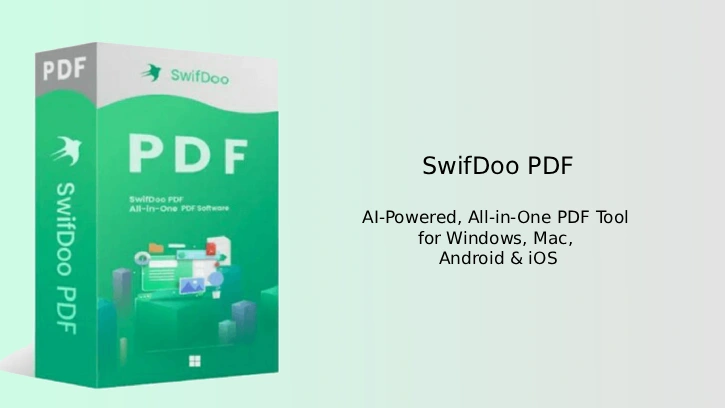
SwifDoo PDF is a lightweight, fast PDF solution requiring less disk space, offering secure features like legal e-signatures and two-level password protection, serving home and business users in 160+ countries; its intuitive, effective tools suit both experts and novices.
A standout feature of SwifDoo PDF Editor is its AI support, which accurately and quickly summarize, translate, rewrite, proofread, explain, and Analyze PDF documents with SwifDoo AI. This feature automates tasks that typically require significant manual effort, improving overall work quality.
This user-friendly PDF editor offers advanced tools for professionals, enabling extensive customization such as text edits, font adjustments, and adding hyperlinks and images for deeper, more flexible document control and refinement.
Table of Contents
Main Features of SwifDoo PDF Pro
- Edit text and images: add, delete, or change text (size, font, color) and rotate, resize, crop, insert, or export images.
- Manage pages: rotate, reorder, insert, extract, delete, split, and merge pages.
- Convert formats & batch process: convert between PDF and Word, Excel, PPT, Text, RTF, HTML, XML, PDF/A, PNG, JPEG, BMP, TIFF, GIF, and run batch conversions/operations.
- Annotate & present: add highlights, underline, strikethrough, text boxes, shapes, stamps, and use slideshow mode for presentations.
- Signatures & OCR: add handwritten or digital signatures (image, trackpad, mouse, keyboard) and use OCR to make scanned text searchable/editable.
- Security & compression: apply two-level password protection, watermarks, legally binding e-signatures, and compress files to reduce size.
- Read & navigate: two- or four-page layouts, dark mode, and multi-tab view for easy navigation.
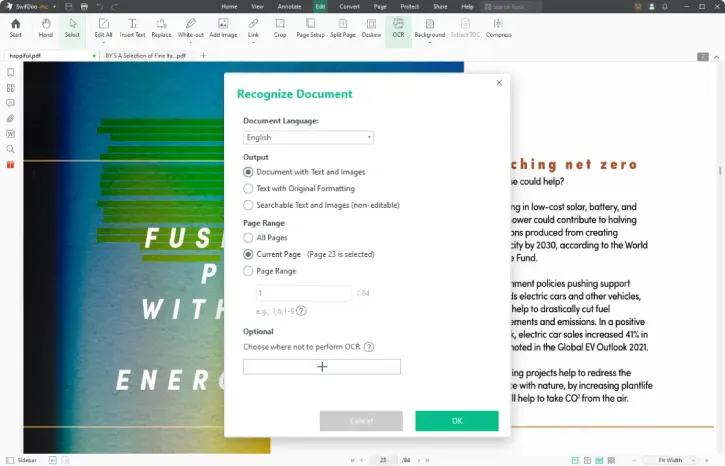
Under a promotion, a 6-month free license for SwifDoo PDF Pro is available. Interested users can follow the instructions below to get a free copy of the software.
Get SwifDoo PDF Pro for Free
1. Download (link) and install the SwifDoo PDF software (Windows) on your computer.
2. After installation, launch the program.
3. On the main window, click Help and select Activate option.
4. Enter the license key given below to activate (6-month license).
+License key
m-swifdoo-xmas25
This is a 6-month license for SwifDoo PDF Pro (version 2.0.x). It does not include free upgrades or complimentary technical support. The giveaway promotion ends on January 10, 2026.
Conclusion
SwifDoo PDF Pro streamlines PDF tasks—create, edit, convert, and annotate with ease. It adds power-user tools like OCR and batch processing, plus robust security (password protection and encryption) to keep documents editable, searchable, and safe.

Related Posts