Geekersoft Watermark Remover Free License: Remove Watermarks Quickly with AI
Removing unwanted watermarks, logos, dates, or stickers from photos and videos used to be tedious and error-prone. Geekersoft Watermark Remover streamlines that process with AI-powered tools and an intuitive three-step workflow: import, choose, export. The result: clean, high-quality output with minimal effort—even for users with no editing experience.
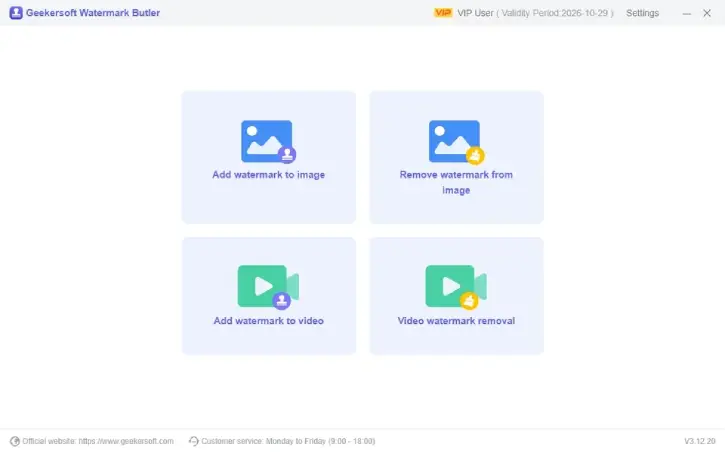
Table of Contents
What it Does
Geekersoft Watermark Remover uses five advanced AI-driven modes to detect and remove unwanted elements from images and videos while preserving the original resolution and detail. It handles everything from translucent text and brand logos to overlapping stickers and dates in photos or video frames.
Key Features of Geekersoft Watermark Remover
- Five AI modes: AI Model, Matte Filling, Color Selection, Smooth Filling, and Gaussian Blur for flexible, context-aware removals.
- Auto detection: AI watermark detection finds and removes objects automatically.
- High-quality output: Keeps original resolution with minimal blur or visible artifacts.
- Real-time preview: See results before exporting to fine-tune the edit.
- Multiple formats: Supports JPG, PNG, MP4 and other common image/video formats.
- Advanced filling options: Matte and Smooth Filling blend removed areas naturally; Color Selection and Gaussian Blur enable precise fixes for text-heavy content.
- Batch and complex removals: Handles multiple or overlapping watermarks without obvious traces.
- Simple workflow: Drag-and-drop import, select the removal mode, then export—no steep learning curve.
- Cross-platform: Available for Windows and Mac.
- Efficient processing: Fast for simple edits while offering controls for more detailed work.
When to Use this Application
- Quickly cleaning product photos or social-media images before sharing.
- Removing timestamps or logos from personal videos and clips.
- Preparing images for presentations or marketing materials when you need clean visuals.
- Fixing photos with small, intrusive elements (stickers, translucent text).
How it works (simple 3-step workflow)
- Import: Drag and drop images or videos (JPG, PNG, MP4).
- Choose: Let the AI detect watermarks automatically or select from the five removal modes to refine results.
- Export: Preview and export high-quality files that retain original resolution.
How to Get Geekersoft Watermark Remover Free 1-Year License
1. First, download Geekersoft Watermark Remover exe file (link) from official webpage.
2. Install the application on your computer and launch it
3. Click the “Activate VIP” button at the top right, enter the license key provided below to activate it.
License key
- ET67O3-UPADFO-I6ECUF-LHRN-WAWZDK (Use before Feb 02, 2026)
- O1FGEX-QIOT60-V243CD-CUGF-HACG06 (Use before Jan 30, 2026)
Note: This application supports Windows 11 and 10. This one-year license (v3.12.x) grants non-commercial use only; no free updates or tech support, and resale is prohibited. Giveaway promotion ends Feb 02, 2026—terms apply, no exceptions.
Conclusion
Geekersoft Watermark Remover provides a fast, user-friendly way to remove unwanted elements from images and videos using multiple AI modes and smart filling options. It’s a practical choice for users who want clean, natural-looking edits without a steep learning curve—especially when you need consistent, high-quality results across common file formats on Windows or Mac.

Related Posts