
Skip to content
Cache-cleaner

Enable One Click Browsing Data Cleaner Button in Chrome

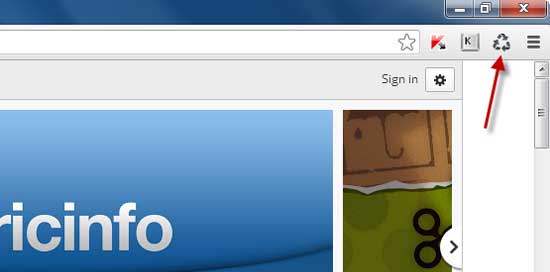
Deleting browsing history, cache, cookies and other information is rather simple in Chrome. Just use the shortcut key combination Ctrl + Shift + Delete, then select what you want to delete and click “Clear browsing data” button. However, if you want even simple, one click solution, here is how to add a button on Chrome’s browser toolbar to delete browsing data with an extension called Clear Cache.

Read more

How to Enable Bookmarks Menu Entry in Chrome’s Context Menu

Many of us use bookmarking functionality of browser as a way to access our favorite webpages and web services fast and easily. In Chrome, bookmarked websites can be accessed from bookmarks toolbar (Ctrl + Shift + B), but by enabling an entry for bookmarks in Chrome’s context menu (right-click menu) accessing favorite websites indeed easier and quick. Here is how to enable bookmarks entry in Chrome’s context menu.

Read more
Google Chrome

Enable Chrome’s Built-in Password Generator and Let Your Chrome Pick a Strong Password for You

Chrome team is constantly developing new tools and implement them to Chrome browser to make it ever more useful browser. The latest example is Password Generator built inside the Chrome, which is very useful, especially if you find it hard to think of a strong password, let your Chrome browser pick one for you. Here is how to enable built-in password generator in Chrome developer version.

Read more

Enable Search Box in Chrome New Tab Page (How to)

The Chrome team has introduced an experimental feature to Google Chrome (dev. version) to help users save time as searching the web. This new experimental feature adds a Search box right in the New Tab page (NTP) aimed to help people who still navigate to their search engine’s home page to initiate a search instead of using the omnibox.

Read more
Droid-Manager-Plugin-for-Firefox

Send Data from PC to Android Phone with Droid Manager Browser Extension (Firefox and Chrome)

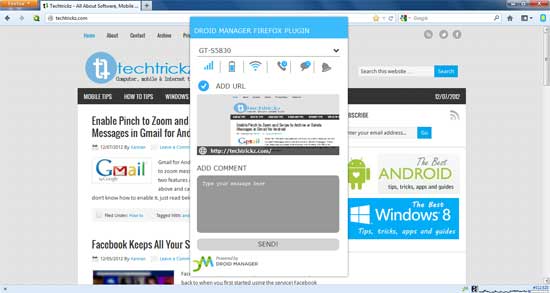
Droid Manager Browser extension (Chrome and Firefox) lets you connect your Android smartphone with your computer from anywhere in the World. You can use this extension to send web URLs, YouTube video URLs, your map positions, custom note or selected text from webpages to your phone from anywhere. Also, this extension displays the current status of your phone like battery status, missed calls and new messages on your computer.

Read more
Back To Top