
Skip to content

SafeMSI.exe enables program uninstall option in Windows Safe Mode

Safe Mode is a troubleshooting mode for Windows that starts your PC in a limited state. This is useful when you are not able to troubleshoot your PC properly in the normal mode.

However, if you want to uninstall a problem causing program in Safe Mode, normally you can’t without a registry tweak.
This is because, in safe mode Windows starts in a limited state, so the required Windows Installer service isn’t started so most programs can’t be uninstalled.
Read more

System tray hider for Windows 7

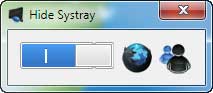
Win-7-Tray-hiderWindows 7 Systemtray Hider is a simple to use, portable application for Windows 7 that lets you quickly hide and unhide system tray in the Taskbar of Windows 7.

It may be useful, if you want to quickly hide a running application, for instance instant messenger or programs like Skype, from the taskbar.

Read more

Problem solving guides for SP1 Installation on Windows 7 or Server 2008 R2

The first Service Pack (SP1) for Windows 7 and Windows Server 2008 R2 has already been available for beta testers and it should be available for public download early next month.

For a successful installation of the Service Pack (SP1) on Windows 7, possibly, you need to have some prerequisites such as System Update Readiness Tool, enough disk space, disabling antivirus program, etc.

Read more

SysFIX lets you fix common Windows 7 errors

SysFix is a simple to use, portable tool designed for Windows 7 that helps system administrators to easily manage and fix common system errors or problems with very little effort.

With a simple and clean interface, this freeware tool offers several options for optimizing and managing your Windows 7.

Read more
Back To Top