Skip to content
Goo-Manager

Easiest Way To Find And Install Correct TWRP Recovery Image For Android

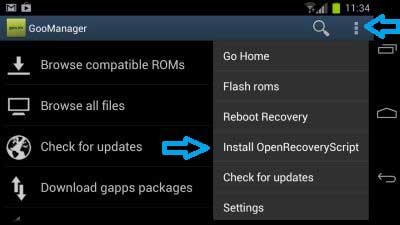
If you are new to Android, you probably want to know about the recovery mode. Every Android device has a recovery mode, which can be accessed with hardware key combinations (volume keys and power button). The main purpose of recovery is to provide a way to reset an Android device when it may be impossible to boot into it. However, the stock recovery is very basic and offers few functions only.
Read more
White-Balance-on-Xperia-Z

Get Sony Xperia ZL White Balance Feature on Xperia Z

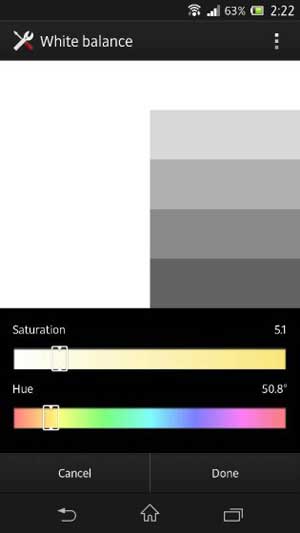
Both Sony Xperia Z and Xperia ZL comes packed with great hardware and software features, but for some reasons Xperia Z misses a feature screen calibration feature of Xperia ZL. Called White Balance this screen calibration app lets users separately adjust their screen’s white balance, color saturation, and hue according to their likings.

Read more
Galaxy-Ace-2

Root Samsung Galaxy Ace 2 on XXMC8 Firmware & Install ClockWorkMod Recovery 6.0.2.8

Recently Samsung has rolled out Android 4.1.2 Jelly Bean update for the Galaxy Ace 2 (GT-I8160) device. If you have updated your Galaxy Ace 2 to the official Jelly Bean (4.1.2) firmware (XXMC8), you might lose your phone’s root status, so you no longer able to flash apps, kernel or custom ROM (flashing means system files are replaced) come in the .zip format on your device.

Read more

Easy way to Boot Any Android Device Into Recovery Mode [How to guide]

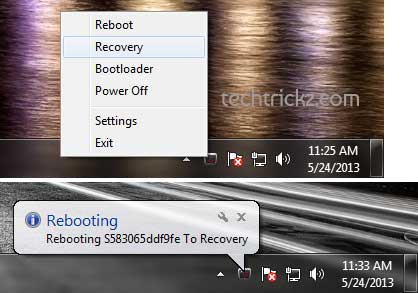
Every Android device has a recovery mode, which is called stock recovery and can be accessed with a hardware key combination. In recovery mode, users can carry out various administrative tasks such as backup/restore/flash ROM, kernel, and system files, wipe data, and make a factory reset and more. Users can also install custom recovery, which is suitable for development tasks. ClockWorkMod (CWM) and TWRP (TeamWin) recovery are popular among them.

Read more
Back To Top