Skip to content
moto-all-in-one-tool

Restore Stock Firmware on All Moto Phones With Moto All-In-One Tool (How to Use)

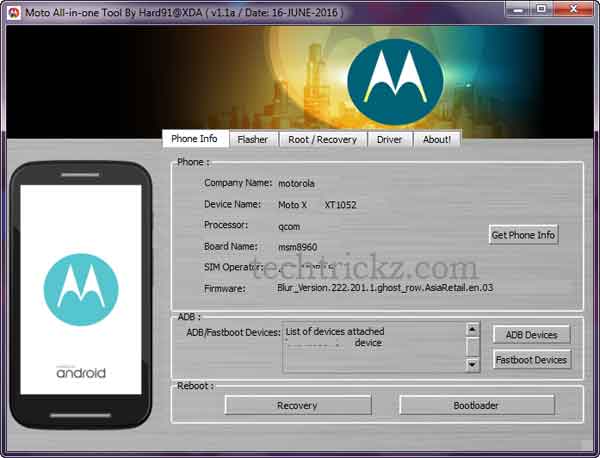
If you are looking for a simple solution to restore stock firmware on any of your Moto phone, then the Moto All-In-One Tool is for you. This Windows application not only helps you restore stock firmware, but it will also let you unlock and relock the bootloader, install custom recovery like TWRP, restore stock recovery, root your Motorola phones and remove bootloader warning message by flashing logo.bin. In addition, this tool installs ADB & Fastboot driver on your PC.

Read more
moto-e-2nd-gen

Install TWRP Recovery and Root Your Moto E 2015

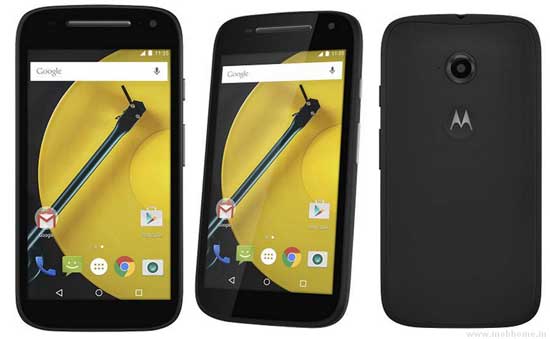
In this tutorial, we show you how to install TWRP custom recovery and get root access on your 2nd generation Moto E 2015 edition. Custom recovery and root access on your Moto E 2015 are essential for installing custom ROMs like CyanogenMod, customizing with Xposed Framework or installing certain apps. However, you will lose manufacturer’s warranty.

Read more
moto-e-2nd-gen

Reinstall Stock Firmware on 2nd Generation Moto E (2015)

In this tutorial, we show you how to reinstall stock firmware on 2nd Generation Moto E (2015). If you have bricked your Moto E 2015 or if you want to return to stock firmware after installing a custom ROM, or whatever reasons your device needs stock firmware, read on to know how to restore your Moto E 2015 to stock Android 5.0.2 Lollipop firmware.

Read more
moto-e

Downgrade Moto E XT1022 to Android 4.4.4 Kitkat From Lollipop

Moto E in India (XT1022) recently received Android 5.0.2 Lollipop update, but after updating the firmware some users decided to go back to the Android 4.4.4 KitKat firmware for some reasons. Android 5.0.2 Lollipop update definitely gives a better performance, cool UI and overall a buttery feel on Moto E, but some users found it laggy, quick battery draining issue, and slow performance.

Read more
moto-e-2nd-gen

Access Hidden Settings of Moto G, Moto X and Moto E (No Root)

Moto G, Moto X and Moto E have several hidden settings inside the system settings. Enable or disable Sensors, USB mass storage, In-call music, OTG mode selection, set data usage limit, data monitoring, etc. are few of them. These are system settings associated with Qualcomm processor and normally not available for general users. However, there is a trick to access these hidden settings on Moto G, Moto X and Moto E without root.

Read more
moto-e-2nd-gen

Unlock Moto E 2015 (2nd Gen) Bootloader

Just like other Motorola smartphones, the new Moto E 2015 (2nd Gen) has also hipped with locked bootloaders. Android geek who want to get root access, install custom ROMs, custom recovery, Mods, etc. on their 2nd Gen Moto E 2015 needs unlocked bootloader. It means unlocking bootloader is a good idea before you start hacking your device.

Read more
Back To Top