Skip to content
Click-to-Play-Opt-Out

Click to Play Option Lets You Make Plugins Optional in Websites and Speed up the Browsing (How to)

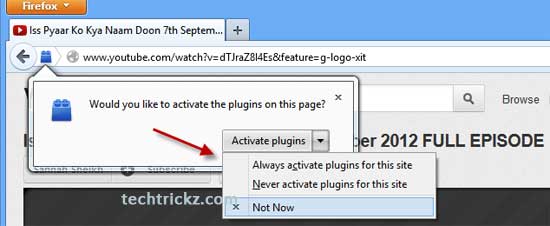
You can speed up your browsing in Chrome and Opera by making plugins in web pages optional. Called Click to Play, this feature is a great way to stop flash content playing automatically. Firefox has also this feature, but currently (Firefox 15) it has no direct option to enable it. However, advanced users can enable it from Firefox’s Preferences (see how it is here) settings. For common users, here is two add-ons to bring the same functionality by disabling plugins by default and letting you activate them with a click.

Read more

Control Auto Play of Music And Videos on Websites

Music and video embedded in a webpage is nice. It will start playing when you enter the page. But, it will also unnecessarily increase your broadband usage, takes long times to load the page (on dial-up), and utilize more memory. For Firefox browser, the extension ‘Stop Autoplay’ helps you solve this issue.

Read more

Delete Flash Cookies from Windows, Linux & MacOSX

As I told in a previous post Adobe Flash Player maintains proprietary cookies called Local Shared Objects or LSO’s. When you clear your browser history on Windows, Linux, or Mac OS X LSO’s are not cleared from Adobe’s local repository.

Many sites are using flash cookies to track your movements. The purpose of this tiny, invisible flash module might be to simply record the page request, and your username or other session variables. However the upcoming version of Adobe Flash Player may have browser privacy mod.

Read more

Disable flash in Chrome to reduce page loading time & RAM usage

Flash contents (Adobe’s flash &Microsoft’s Silverlight) on a web page increases the web page loading time, memory usage, CPU cycle and broadband usage charge.

Of course you can stop flash contents by disabling Script on your web browser, but if you want to see, for example, a flash movie from YouTube, you have to turn on the script and reload the page. But what if you can see movie without reloading the page?

Read more
Back To Top