Skip to content
backup-and-restore-partitions

Backup and Restore Individual Partition on Your Android Phone

Besides the Nandroid backup, making backup of individual system partitions on your Android phone, such as Boot, Recovery, EFS data, Modems, etc. is very important if you are frequently making changes on your device. This tutorial lets you know how to create a backup of specific partitions, such as files that boot your phone, recovery, operating system, user data, etc. and how to restore them.

Read more
moto-e-2nd-gen

Reinstall Stock Firmware on 2nd Generation Moto E (2015)

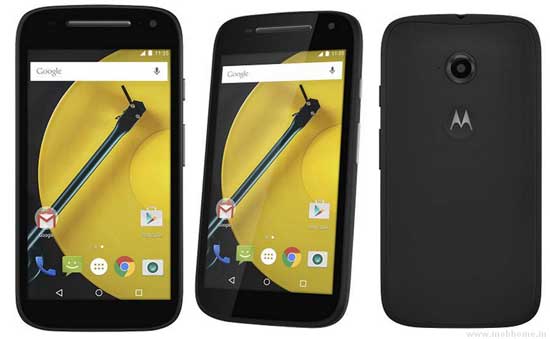
In this tutorial, we show you how to reinstall stock firmware on 2nd Generation Moto E (2015). If you have bricked your Moto E 2015 or if you want to return to stock firmware after installing a custom ROM, or whatever reasons your device needs stock firmware, read on to know how to restore your Moto E 2015 to stock Android 5.0.2 Lollipop firmware.

Read more
WhatsApp-logo

Resolve WhatsApp Call No Voice at Receiving End Issue

Though not fully implemented yet, WhatsApp calling feature lets users talk each other instead of just texting. However, many people come across issues with this new VoIP feature, like no voice at the receiving end, delayed and vibrating sound, etc. In this tutorial, we show you how to fix WhatsApp call no voice error at the receiving end.

Read more
galaxy-s6-keyboard-app

Install Ported Galaxy S6 Keyboard App on Galaxy S5 and Galaxy S4 (Tutorial)

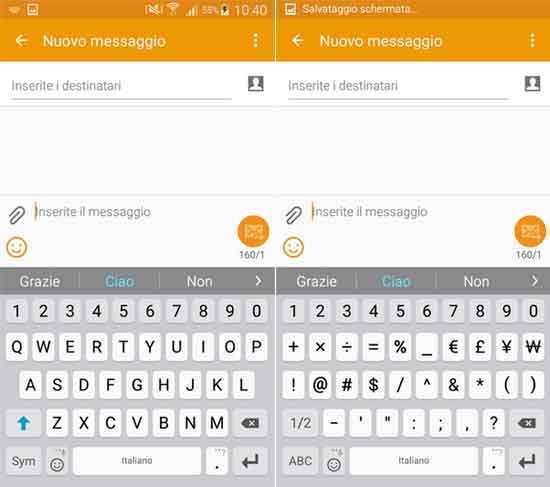
A ported Samsung Galaxy S6 keyboard app is now available for Galaxy S5 and Galaxy S4. The new Samsung keyboard on Galaxy S6 has few changes and new features from its forerunners. Now, the design is more flat, colors are slightly lighter, letters are bigger and you can adjust its size to suit your needs. Also, the keyboard is similar or based on to the SwiftKey and supports gestures.

Read more
Samsung-Galaxy-USB-Cable and driver

Fix Insufficient Memory Warning on Galaxy Phone

Insufficient memory warning is not a common issue on Samsung Galaxy Smartphone. However, some users run into the problem whenever they try to download an app, especially on older phones. Even if there is plenty of memory on the phone, the phone keeps saying that there is not enough storage space or insufficient memory, which is frustrating. Even if you cleared up some apps and moved some apps to SD card will not fix the problem.

Read more
Back To Top