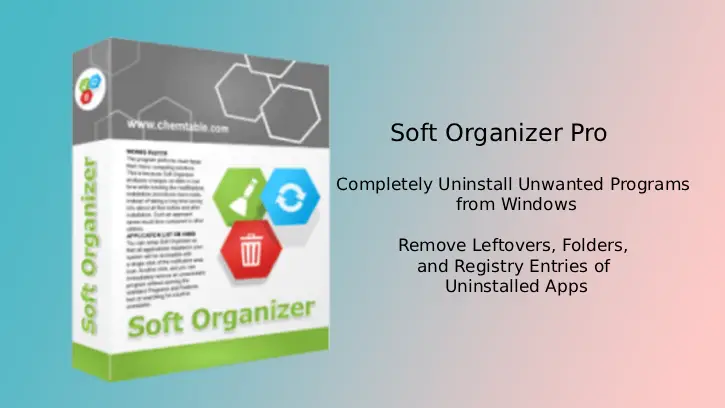
Soft Organizer Pro 10 Free License: Completely Uninstall Unwanted Programs from Windows
Soft Organizer is a simple to use software program for Windows that helps you completely uninstall unwanted programs. It can remove residual files, folders, and registry entries left by uninstalled programs, ensuring cleaner system performance and reclaimed disk space.
The application scans deeply to find leftovers that standard uninstallers miss, giving users confidence their system stays uncluttered and optimized. The pro version allows you to remove leftovers of already uninstalled programs.
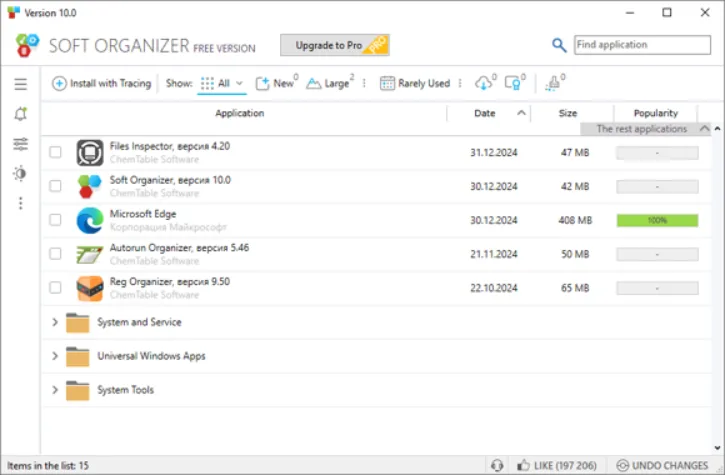
The tool tracks program installations to enable precise uninstalls and allows batch removal of multiple applications at once, saving time and effort. Automatic backups are created during residue removal for safety, so users can restore changes quickly if anything unexpected occurs.
Table of Contents
Main Features of Soft Organizer Pro 10
- Removes leftover files, folders, and registry entries from uninstalled programs (detects and deletes leftovers).
- Tracks and logs program installations so you can uninstall precisely and later remove tracked apps completely.
- Lets you uninstall multiple programs at once (batch uninstall) and remove Universal Windows Store apps.
- Creates automatic backups before removing residues and can restore changes if needed.
- Exports the installed-programs list to an HTML file and lets you sort/group by name, install date, or other parameters.
- Includes quick search, built-in program ratings, silent-install support for compatible installers, and automatic app updates/one-click upgrades.
- Automatically updates the Soft Organizer itself and checks for program updates.
Soft Organizer Pro 10 supports Windows 11 / 10 / 8/7 (32-bit and 64-bit) and requires 250MB of RAM and 50MB storage space.
How to Get Soft Organizer Pro 10 Free License
2. Download Soft Organizer Pro 10 installation file (link) from official webpage.
2. Install the application on your Windows PC and start it.
3. From the main interface, click the three vertical-dots menu and select Enter license key option.
4. Next, enter the provided license key and click Ok to activate the program.
+License
License key: ZJD4NT-8YAY5S-KGNP3Q-2QI9FD-LD3QL8-G4NLJH-HFVCTQ-86EDH9-P4JG
Note that this is a lifetime license for Soft Organizer version 10.33 and this promotion will expire soon.
Conclusion
Soft Organizer Pro is a simple to use and very efficiently uninstalling programs and cleaning residual files, folders, and registry entries that other uninstallers miss. Its intuitive interface suits beginners and advanced users, with installation tracking, batch uninstall, backups, quick search, and update support.

Related Posts