EaseUS ChatTrans for Free: Easily Transfer WhatsApp Data Between Android & iOS
When you switch to a new phone, moving WhatsApp data between your devices has never been easier, especially between Android and iOS or vice versa. Thanks to EaseUS ChatTrans, transferring your WhatsApp data – including messages, images, videos, and even stickers – is now very simple.
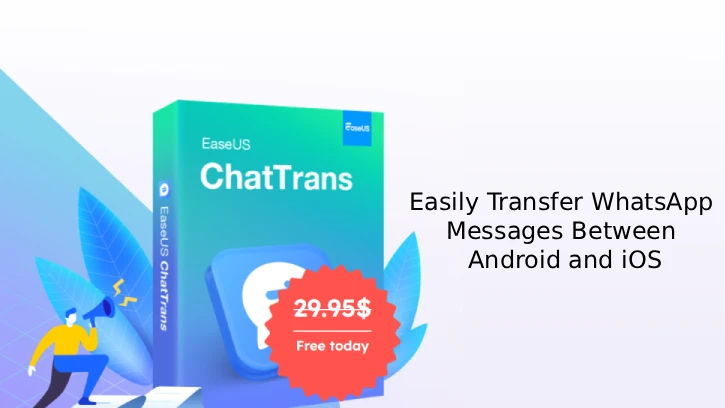
With just a few clicks, ChatTrans enables easy transfer of WhatsApp data between Android and iPhone (and vice versa), as well as Android to Android and iPhone to iPhone. It supports messages, images, videos, and contacts, including transfers for WhatsApp Business on iOS.
ChatTrans features a backup and restore facility that allows easy WhatsApp backup from iPhone, iPad, or Android to PC/Mac without limitations. Once connected, the backup initiates automatically with one click, enhancing communication security through efficient data protection.
EaseUS ChatTrans offers more than WhatsApp transfers from iPhone to Android; it also backs up Kik and Viber data. You can preview, restore, or selectively export data efficiently.
Table of Contents
Features of EaseUS ChatTrans
- Move all WhatsApp stuff (messages, photos, videos, contacts) between iPhone and Android.
- Move WhatsApp Business data between iOS devices.
- Transfer WhatsApp between Android and iPhone and vice versa, Android and Android, iPhone and iPhone.
- Back up WhatsApp and WhatsApp Business from iPhone, iPad, or Android to your PC or Mac.
- Save backups on your computer so you don’t need limited cloud storage.
- Export WhatsApp backups as PDF or HTML so you can view or archive them.
- Restore WhatsApp backups to iPhone, iPad, or Android easily.
- See backup history and restore only the chats or media you want.
- Also back up Kik and Viber chats (personal and group).
- Preview backups in real time so you can pick what to restore or export.
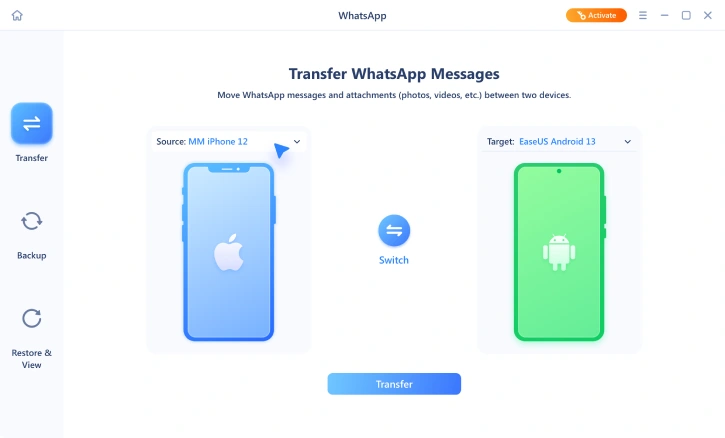
Using ChatTrans is simple: install and open the app, choose WhatsApp, pick the source and target devices, then click Start to transfer all your WhatsApp data.
How to Get ChatTrans for Free (1-Year Free License)
1. Go to the giveaway page and click the “Get the license” button to get your free license.
2. Next, download (link) and install the ChatTrans on your computer.
3. Launch the application, click Key icon (activate button), and enter license key you have received to activate to full version.
Note: This is a 1-year license for ChatTrans version 2.1.7. This giveaway promotion will end on Dec 26, 2025.
Conclusion
EaseUS ChatTrans is an easy-to-use tool for transferring, backing up, and restoring WhatsApp across Android and iOS. It handles various data types, supports local backups and exporting chat histories, and is generally reliable despite occasional compatibility issues with older phones.

Related Posts