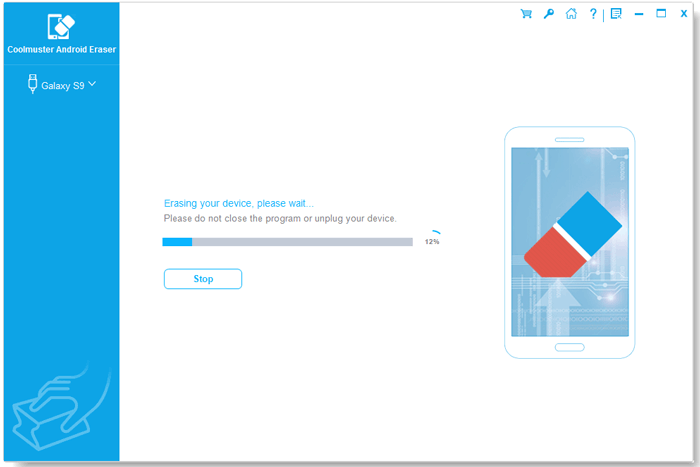
When you pass a phone to someone else, the most important step is making sure your personal data can’t be recovered. A factory reset or deleting files often leaves recoverable traces. Coolmuster Android Eraser is a simple tool that permanently removes data from Android devices so you can hand them off with confidence.
Why Use a Dedicated Android Eraser?
- Factory resets aren’t enough: Deleted files and system remnants can often be recovered with commercial tools.
- Overwrites prevent recovery: Coolmuster overwrites storage so even professional recovery tools can’t retrieve your data.
- Peace of mind: Essential if your phone contains passwords, banking info, personal photos, messages, or sensitive documents.
Three security levels (pick what you need)
- Low — Quick cleanup: Fast, basic wipe for casual disposal when you don’t need maximum assurance.
- Medium — Stronger overwrite: More thorough than Low for better protection.
- High — DoD-style (three passes): Overwrites data three times for top-level assurance — use this when security is critical (selling, donating, or disposing of devices with very sensitive data).
What it Erases
- Contacts and call logs
- Text messages and chat histories
- Photos, videos, audio files
- App data, cache, and junk files
- System settings and preferences
- Previously deleted files left on the device
- Usernames, passwords, browsing/search history
After wiping, the app can restore factory settings so the next owner gets a clean device.
Coolmuster Android Eraser works with major manufacturers (Samsung, Huawei, Xiaomi, HTC, LG, Sony, Motorola, Google Pixel/Nexus, ZTE, and more) and supports modern Android versions including Android 15. However, you need a Windows PC to use it.
One-click convenience is the main highlight of this application. The interface is designed for nontechnical users and warns that erasure is irreversible — back up anything important first.Just connect your phone to your PC, choose a security level and click Start.
Who Should use an Android Eraser
- People selling or trading in phones
- Users recycling or disposing of hardware
- Privacy-conscious individuals
- IT admins preparing devices for redeployment or secure disposal
How to get a free 1-year license for Android Eraser (limited time)
1. Visit the official giveaway page and enter your name and email.
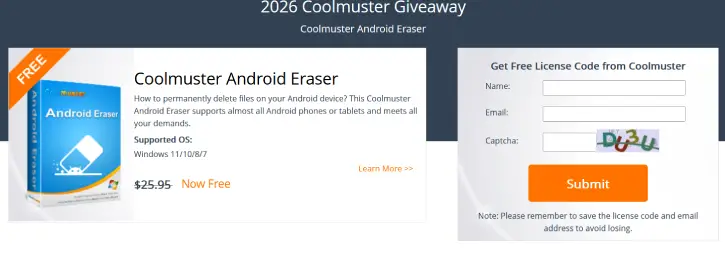
2. Submit to receive the 1-year license code by email.
3. Download (link) and install Coolmuster Android Eraser on your PC.
4. Launch the program, click the key icon, choose Register, and enter your email + license key to activate.
Note: The software supports Windows 11, 10, and 7.
Conclusion
Coolmuster Android Eraser provides a fast, flexible, and effective way to permanently remove personal data from Android phones. Whether you need a quick cleanup or a DoD-style overwrite, it helps ensure your personal information stays private when you pass your device along.