Free License for Coolmuster Android Backup Manager: One Click Backup & Restore Tool
In today’s digital world, our smartphones are treasure troves of personal memories and critical information. Losing contacts, photos, messages, or important documents can be devastating. Coolmuster Android Backup Manager emerges as a powerful solution to protect your valuable mobile data with unprecedented ease and reliability.
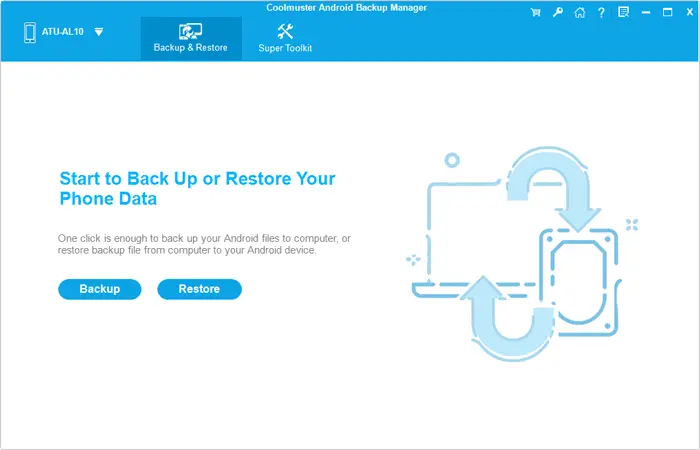
If you’ve ever struggled to keep your Android data safe, you know how frustrating it can be to juggle multiple apps, cables, and cloud services. Coolmuster Android Backup Manager cuts through the noise with a clean, ad?free interface that lets you back up and restore your phone or tablet in a single click.
Table of Contents
Main Features
- One?click backup & restore: No need to pick individual files; the whole device can be saved or recovered instantly.
- Full data coverage: Contacts, SMS, call logs, photos, videos, music, documents, and even user?installed apps are all included.
- USB & Wi?Fi connectivity: Choose a wired connection for speed or go wireless for convenience—both are supported.
- Selective restore: Browse backup files, pick specific data types, and restore without overwriting existing content unless you decide to.
- Multi?device support: Manage several Android devices from the same PC, perfect for families or small businesses.
- Lightweight, ad?free: The installer is tiny, and the UI stays uncluttered, so you focus on the backup, not on ads.
How It Works
- Connect – Plug your Android device into a Windows PC via USB or connect over Wi?Fi.
- Choose – Select “Backup All” for a full snapshot or tick the boxes for specific data categories you care about.
- Set Destination – Pick a custom folder on your computer; the program remembers your choice for future backups.
- Backup – Click the single button and watch the progress bar. The process is read?only, meaning your phone’s data isn’t altered during the transfer.
- Restore – When you need to bring data back, simply point the software at the saved backup file and let it handle the rest.
Compatibility & Requirements
- Supported Android versions: 6.0 and up, covering virtually every modern phone or tablet.
- Windows OS: Works on Windows?11,?10,?8, and?7, so you don’t need the latest OS to protect older devices.
How to Get Coolmuster Android Backup Manager Worth $19.95 for Free
1. Go to the official giveaway page and enter your name and email to get a free license.
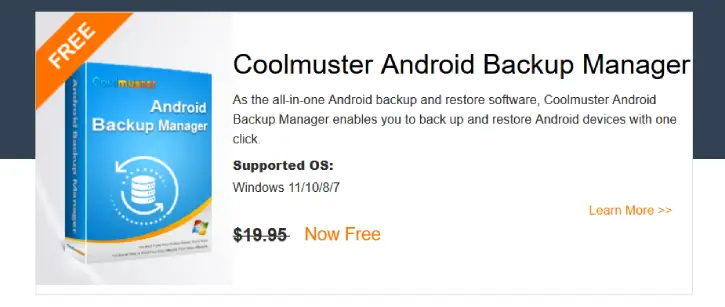
2. Next, download the software (link) and install it on your PC.
3. Launch the software, click the “Key” icon in the top right menu, and then click the “Register” button.
4. Copy and paste the licensed email address and the license code to register for the program.
Note: This is a 1-year license for use on a single PC, intended for non-commercial use only; it does not include free updates or free technical support, and the license key must be redeemed before February 11, 2026.
Conclusion
Coolmuster Android Backup Manager represents a robust, user-friendly approach to Android data backup. By offering comprehensive protection, multiple connection methods, and an intuitive interface, it stands out as an essential tool for anyone serious about preserving their mobile data.

Related Posts