Get EaseUS Video Editor Pro Free for 1 Year — Create Pro-Level Videos Fast
Whether you’re a vlogger, YouTuber, or anyone who wants to produce stunning videos fast, EaseUS Video Editor is a full-featured Windows editing app that helps you tell your story with video and music like a pro.
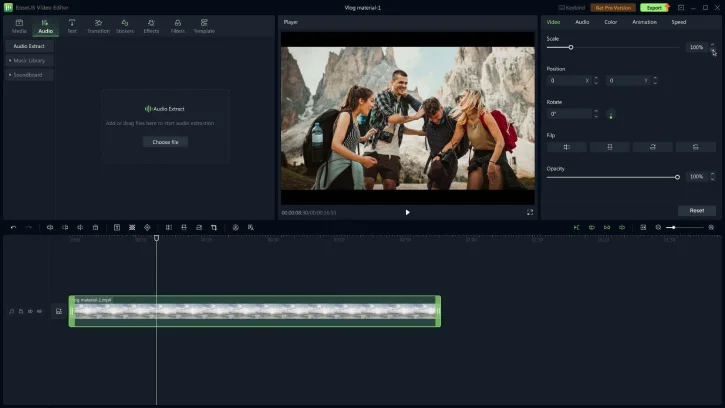
Its intuitive interface gives you access to hundreds of effects and transitions, vibrant filters, stickers, text and subtitle tools, plus a library of songs and sound effects—everything you need to create eye-catching videos quickly.
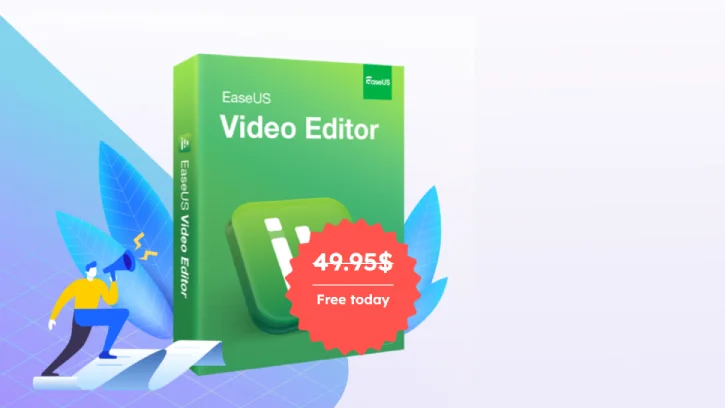
EaseUS Video Editor Pro adds advanced tools such as audio extraction, AI speech-to-text, watermark removal, AI noise reduction, background fill, video debugging, and export up to 4K video for more precise editing.
This video editing software also includes a multi-track timeline, speed controls, real-time preview, and other useful features that streamline your workflow.
Table of Contents
Key Features of EaseUS Video Editor
- Full-featured Windows video editor for vloggers, YouTubers, and conten creators to produce stunning videos quickly.
- Intuitive interface with hundreds of effects and transitions, vibrant filters, stickers, text and subtitle tools.
- Built-in library of songs and sound effects for enhanced storytelling.
- Pro features: audio extraction, AI speech-to-text, watermark removal, AI noise reduction, background fill, video debugging, 4K video and unlimited video length.
- Multi-track timeline, speed controls, and real-time preview for precise editing.
- Workflow-focused tools and features that streamline video creation.
EaseUS Video Editor Pro version usually costs $49.95 for one year, but under a promotion, you can get a free 1-year license for the application. If you are interested, follow the below instruction to get the free license.
How to Get EaseUS Video Editor Pro for Free (1-Year License)
1. Visit the EaseUS Video Editor Pro giveaway page and click Get the license.
2. Download the giveaway version of the software [this is an online installer. Do not choose the offline installer when prompted).
3. Install and launch EaseUS Video Editor.
4. Open the registration window and select I already have a license.
5. Enter your license code and activate the PRO version for a 1-year free subscription.
Note: This is a 1-year license and the license is only valid until 20 December, 2025.
Conclusion
EaseUS Video Editor is an easy-to-use Windows app for fast, professional video creation, offering effects, transitions, filters, text, stickers, and a music library. Pro version adds audio extraction, AI speech-to-text, watermark removal, noise reduction, background fill, multi-track timeline, and 4K export.

Related Posts