
Skip to content
Moto G

Custom ROMs for Moto G (Android 4.4.2 KitKat)

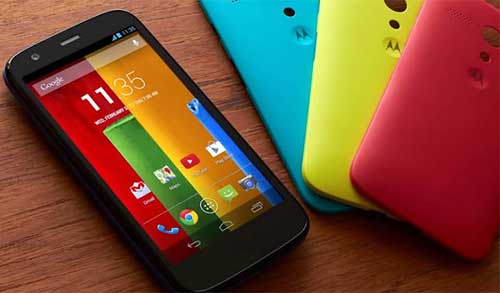
The Moto G is one of Android’s most important handsets that offer some extremely tempting features for a smartphone that costs less than $200. It features 4.5″ (1280 x 720) HD display, all-day battery, Snapdragon 400 processor with 1.2 GHz quad-core, 1GB RAM, Android 4.4 KitKat, 8GB/16GB storage, and colorful backs to customize the phone.

Read more
Moto G

Install CyanogenMod 11 ROM on Moto G (Installation Guide)

Moto G owners can now enjoy the latest and the most popular custom ROM CyanogenMod 11and its features on their device. CyanogenMod 11brings (currently nightly build) Android 4.4 KitKat to Moto G and this ROM supports XT1031, XT1032, and XT1034 models. Support for Dual SIM model XT1033 and GP edition will be added later.

Read more
Moto G

Moto G: Flash CWM/TWRP Recovery, Reboot to Recovery/Fastboot, Install Driver or Restore to Stock with MotoTool

The best budget Android smartphone Motorola Moto G offers some extremely tempting features for a handset that costs less than $200. It has a higher specification than you would expect from a phone that costs this little. It features a sharp 4.5in display with a 720p resolution and pixel density of 326ppi (same as that of the iPhone 5s), 1.2GHz quad-core processor, 1GB RAM, 8GB/16GB storage, and colorful backs to customize the phone.

Read more
Moto G

Unroot Moto G and Return to Box Fresh State (Guide)

Recently we published a guide on how to root your Motorola Moto G on any firmware. Root access on Moto G gives immense opportunities for tech-savvy users. They can add missing features, apply various tweaks and changes that the manufacturer sees to make, flash custom ROMs and more, however, if you run into problems with the rooted Moto G and want to unroot and return back to the stock firmware, here is how it is.

Read more
Back To Top