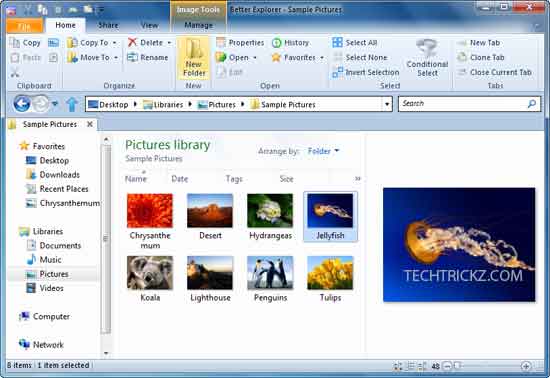
The all-new Ribbon interface of Office 2007 and 2010 is very attractive, easy to handle and helps to makes your work faster. But one shortcoming of it is that it occupies large space on your screen than a normal menu.
Software, technology news, Microsoft, android, iPhone, Windows, web apps, how to stuffs

The all-new Ribbon interface of Office 2007 and 2010 is very attractive, easy to handle and helps to makes your work faster. But one shortcoming of it is that it occupies large space on your screen than a normal menu.

Microsoft has just launched Office 2010 and a free trial download is available at here. This version has many new features such as an intuitive navigation, better copy paste options, inline photo editing option, etc. Here I am talking about a different topic. Like Office 2007 Office 2010 also comes with the famous ribbon interface, [...]

The all-new “ribbon” interface was one of the most important changes in Microsoft Office 2007. However, the introduction of the ‘ribbon’ makes it difficult to build “toolbars” for Office 2007 products. Here is a handy tool for Office application developers called ‘Office 2007 Ribbon Editor’, which allows them to create custom Ribbon UI’s for Office [...]

Aviary, the well-known online photo editor has launched a … [Read More...]

Sometimes you may want to password protect your text messages (SMS) … [Read More...]

Google has updated its Google Docs app for Android with two new … [Read More...]

The best way to watch YouTube video on your smartphone is to download … [Read More...]
Kannan is a blogger, author and founder of TechTrickz, a technology and how-to blog. More
Copyright © ·2012 - techtrickz · Powered by Genesis Framework
Recent Comments