Integrate Dropbox and Google Drive in Office 2013 as a Cloud Storage

Office-2013-Cloud-Storage-Integration

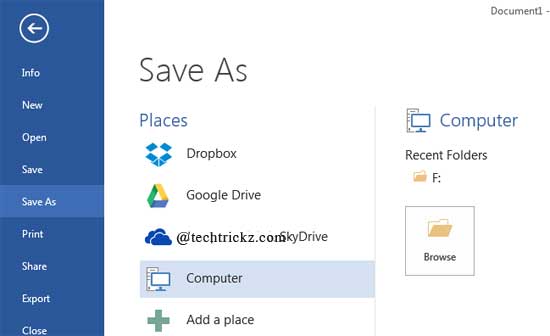
One of the new features of Office 2013 is that it lets you save documents directly to SkyDrive, Microsoft’s cloud storage system, giving you access to files anywhere there is a internet connection. However, if you prefer cloud storage services such as Dropbox or Google Drive apart from SkyDrive to save your Office documents, here [...]

Capture Screenshot and Apply Various Styles Using Microsoft Word 2013

Word-2013-Picture-Tool

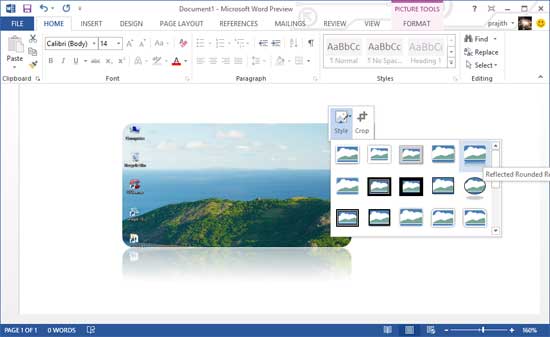
Microsoft’s new Office 2013has offers a number of handy features to make our daily life a lot easier. I had featured some of them in previous posts. Here is one more feature of Microsoft Word 2013, which is handy when you want to capture something shown on your screen and insert it on the document [...]

Features of Read Mode in Office 2013 and How to Enable it

Office-2013-Read-Mode

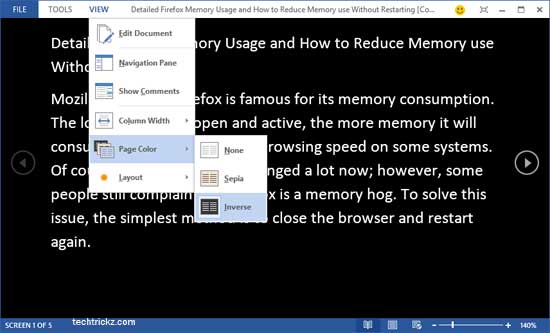
All applications in Microsoft’s new Office 2013 such as Word, Excel, PowerPoint, Outlook, etc have new features. For example, the new Word 2013 features a Live Layout tool, which lets you format document by dragging and dropping. Another new feature of Word 2013 is Read Mode. As its name indicates, Read Mode is intended for [...]

Open, Edit and Password Protect PDF Files in Microsoft Word 2013(How to)

Office-2013-Start-Screen

One of the new features of Microsoft’s new Office 2013 is its ability to open and edit PDF document. As known by all, editing a PDF document is not as easy as we think. It requires bulky software like Adobe Acrobat or need to convert the PDF file into an editable document like MS Word [...]

Distorted Font and Hanging Issue in Office 2013, How to Fix it

New-Office-2013

Among dozens of new features and changes, support for GPU hardware acceleration is a remarkable feature of Microsoft’s new Office 2013. Hardware Acceleration improves program performance by utilizing computer’s graphics card (GPU) rather than relying on the process alone. However, sometimes it will cause for hanging and distorted font issue in Office 2013, especially on [...]

Turn Off Microsoft Office 2013 New Start Screen (How to)

Office-2013-Start-Screen

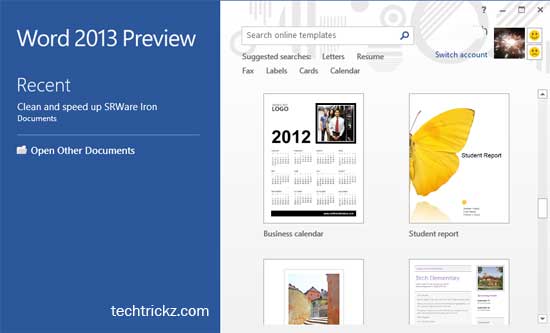
Microsoft has made several changes to its new Office suite, Office 2013 to make it more productive and easy to use. For example, unlike previous versions, when you start an Office 2013 application, it displays a new Start Screen (splash screen) with several useful options. From this start screen you can view all the recently [...]