Get Start Menu Back in Windows 8 With Metro Interface

Metro-Menu-for-Windows-8

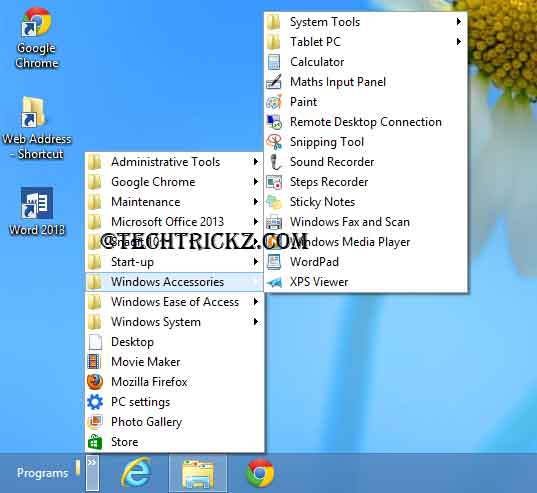
One of the most common complaints aimed at Windows 8 is the new Start screen. Though this is the full-screen replacement for the Start menu, many people just don’t get on with it. However, it’s possible to get an old style start menu back in Windows 8 using third-party tools.

Add Start Menu to Windows 8 Desktop Without Third Party Tools

Classic-Start-menu-for-Windows-8

I think many users longing for a Start menu on the Windows 8 desktop. There are several third party tools like Classic shell to add Start menu to Windows 8’s desktop, but if you prefer not to install third party tool on your new Windows 8, and if you need a Start menu on the [...]

AutoPin Controller Disables Auto Pinning Feature of Windows 8

Auto-Pin-Controller-for-Windows-8

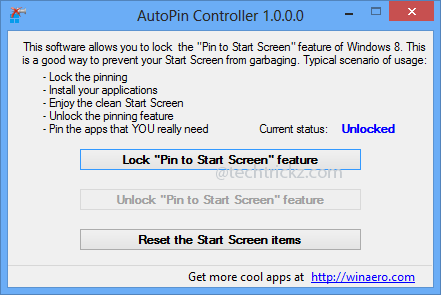
As known by all, every time we install a new software on Windows 8, it will pin one or more shortcuts on the Start Screen – the new start menu of Windows 8. Of course, it will help us launch programs quickly, but pinning multiple shortcuts of a software isn’t always desirable. AutoPin Controller helps [...]

Get the Windows 8 Start Screen on Windows 7, Vista and XP with WinMetro

Metro-UI-for-Windows-7

If you like the look of Windows 8, but you’re unwilling to upgrade now, there are several free tools that apply the Modern interface (formerly called Metro UI) to Windows 7, Vista or Windows XP. For example, WinMetro from iOBit, a free tool that brings the same Windows 8’s colorful Start Screen to older versions [...]

Skip Metro Start Screen And Bring Start Menu As Well As Start Button Back In Windows 8 With Classic Shell

Classic-Shell-For-Windows-8

Classic Shell is a right application for bringing classic Start menu as well as Start button back in Windows 8. Now the application has updated (Classic Shell 3.5.1) with a new feature to skip Windows 8 Metro Start screen as well. So, if you’re looking for a good application for bringing back the good old [...]

Skip Metro Start Screen And Go Straight To Windows 8 Desktop (How to)

Windows-8 CP

A most striking change in Microsoft’s new operating system Windows 8 is its new Metro Start Screen with live widgets and app shortcuts. It is designed for easier use on a touch screen; however, it is still more responsive and easier to use with a keyboard and mouse. If you always prefer traditional desktop rather [...]