Enable Do Not Track Privacy Feature in Google Chrome

Chrome-Logo

Finally, Google has also implemented the Do Not Track privacy feature to its browser Chrome. Like the other major browsers such as Internet Explorer, Firefox, Opera and Safari, the latest stable build of Chrome 23 has also lets you opt out of being tracked by websites. Do Not Track (DNT) is a technology and policy [...]

Automatically Open Desired Sites Always in Private Mode in Opera

Opera-11

If you want to browse privately, or in other words if you want to delete all your browsing activities automatically once you close the browser, you can use Private browsing mode of your browser. In Opera, you can switch to private mode and back to normal mode by using the shortcut key Ctrl + Shift [...]

Opera 12 Supports Do Not Track Advert Blocking Feature

Opera-Preferances

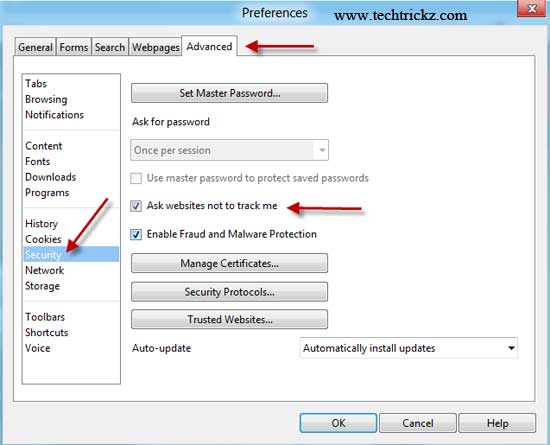
Do Not Track is a privacy feature for web browsers that enables users to opt out of being tracked on websites just with a single click. Do Not Track (DNT) has already available in Internet Explorer, Firefox and Safari, and now in Opera 12 also. Google Chrome (version 17 and above) users can enable DNT [...]

Do Not Track Add-on For Chrome Now Available

Do-Not-Track

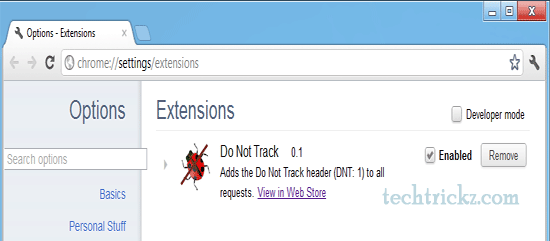
Do Not Track, the advert blocking technology that comes pre-built into Firefox, Internet Explorer and Safari has now available for Google Chrome as an add-on. Do Not Track (DNT) is a technology and policy proposal that lets you tell websites that you don’t want your internet activities tracked by advertising system (including analytics services, advert [...]

Fix it Solution to Improve performance, Safety and Security of Internet Explorer

Fix-it-Solution

Microsoft has released a new Fix It solution to fix various issues related to Internet Explorer’s performance, safety and security. It lets users automatically diagnose and fix issues that may reduce safety and security  in Internet Explorer or cause Internet Explorer to respond slowly or crash.

Instantly Delete all Private Data and Close all Tabs From Firefox

Eraser-Preferance

For some reasons, you may want to immediately delete all your private data (Cookies, browsing history, saved form info, saved passwords, download history, cache, etc) from your Firefox browser. Usually it involves few steps. But, if you are looking for an alternate, quick way, here is how you can do all that with a little [...]