

Sticky Notes in Windows 7 is a very handy reminder program for home and office. You can write something like important phone numbers, shopping, etc and ‘stick’ it on your desktop to keep a reminder.
Here I am talking about a different subject. Whenever you start the awesome Windows 7 Sticky Notes the icon is visible on your taskbar.
If you don’t like this always on your taskbar and want to recover that lost taskbar space used by the icon, here is a little program called Sticky Notes Taskbar Hider to hide the icon.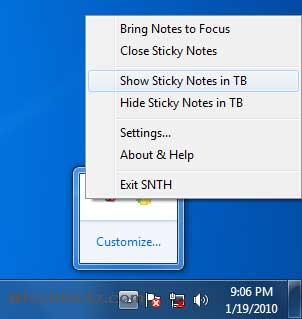
This tool allows you to show, hide and bring back the Sticky Notes from the taskbar easily from hotkeys, or via the system tray icon.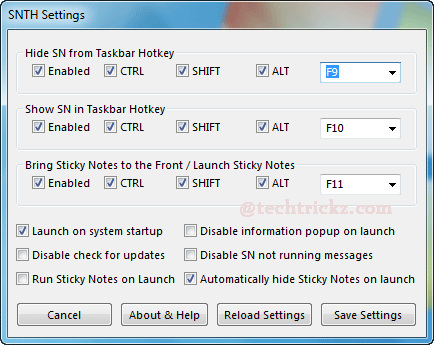
Sticky Notes Taskbar Hider is clean (checked with Nod32, check it with your own before using) and can be downloaded from here.



Comments (1)
[…] the original here: [Windows 7] How to hide Windows 7 Sticky Notes taskbar icon … No […]
Comments are closed.